Vercel AI SDK Model Fallback: Multi-Provider Retry with an OpenAI-Compatible API
Build resilient AI apps with Vercel AI SDK model fallback. Learn provider chains, retry strategies, cost-aware routing, and multi-model fallback using one OpenAI-compatible API endpoint.
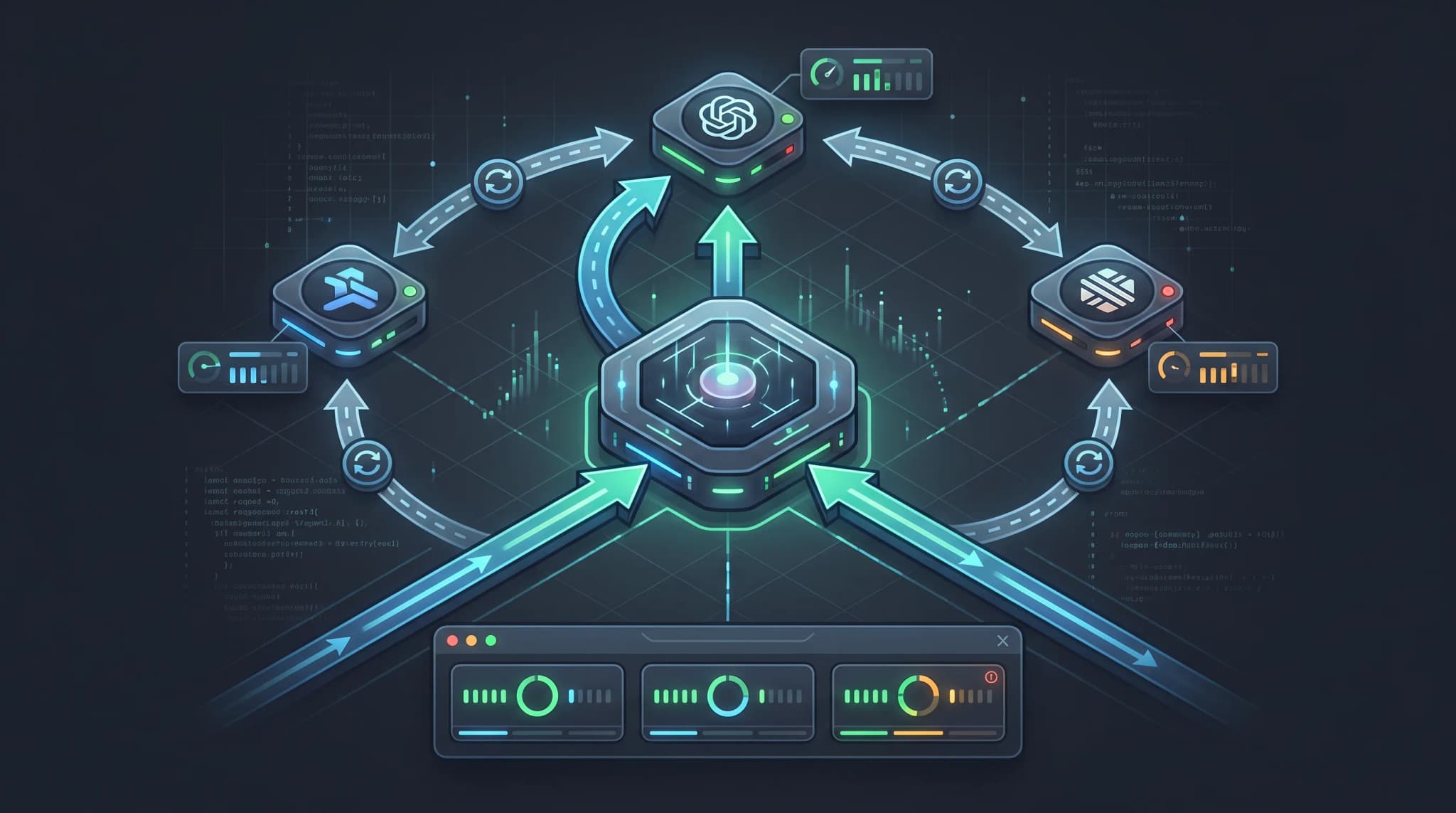
An AI SDK model fallback strategy keeps your application running when a model provider fails, rate-limits, or returns degraded output. Instead of calling one model and hoping it stays available, you define a chain of models: if the first fails, the SDK tries the next, and the next, until one succeeds or the chain is exhausted.
This guide shows how to build model fallback with the Vercel AI SDK using a single OpenAI-compatible API endpoint. Because OurToken routes multiple models — GPT-5.6 Terra, DeepSeek V4 Pro, GLM 5.2 — through one base_url with one API key, you can implement fallback by changing only the model string, not the provider configuration. This keeps your retry logic compact, your secrets in one place, and your cost reporting unified.
The basic setup is:
Base URL:   https://api.ourtoken.ai/v1
Endpoint:   https://api.ourtoken.ai/v1/chat/completions
Auth:       Authorization: Bearer YOUR_API_KEY
Models:     gpt-5.6-terra, deepseek-v4-pro, glm-5.2 (all chat/completions)
All three model routes use the same OpenAI Chat Completions format, so the Vercel AI SDK's createOpenAI provider works for every model in the chain. You do not need a separate SDK installation or auth header per model.
Verification status: The request patterns and model IDs in this article were checked against the public OurToken model pages and the Vercel AI SDK documentation on 2026-08-19. Run the examples with your own server-side API key.
Why AI SDK Model Fallback Matters
Model providers fail. A route can return 429 under load, 500 from an upstream outage, or a timeout when the prompt is too large. Without fallback, a single provider failure becomes a user-facing error. With fallback, the request silently retries on the next model in the chain, and the user sees a response instead of an error page. This is especially important for customer-facing applications where uptime directly affects retention: a user who sees "model unavailable" three times in a week is likely to switch to a competitor. Fallback also reduces operational burden — instead of paging an engineer at 2 AM because one model endpoint is degraded, the system absorbs the failure automatically and logs it for post-incident review.
The Vercel AI SDK provides a provider abstraction that normalizes requests and responses across different model APIs. When all your models share one OpenAI-compatible endpoint — as they do on OurToken — the provider configuration is identical for every model. The only variable is the model string. This makes fallback simpler than a multi-provider setup where each model has a different base_url, api_key, and response format.
Fallback vs. routing
Fallback and routing solve related but different problems. Fallback is reactive: the first model fails, so you try the next. Routing is proactive: you choose the best model for each request before sending it, based on query complexity, cost, or latency. A mature system uses both — route to the cheapest model that can handle the query, and fall back to a stronger model if the first choice fails. If your application needs proactive model selection, review the LLM model routing guide for the decision logic, then add fallback as the safety net underneath.
Building a Fallback Chain with the Vercel AI SDK
The Vercel AI SDK does not include a built-in fallback() function in its core package, but the provider interface is designed for composition. There are two common approaches: a custom wrapper that tries models in sequence, or a community package like ai-fallback that wraps the provider interface.
Approach 1: Custom fallback wrapper
This approach gives you full control over retry logic, error classification, and logging. It uses the generateText function from the ai package and the createOpenAI provider:
import { createOpenAI } from "@ai-sdk/openai";
import { generateText } from "ai";

const openai = createOpenAI({
  apiKey: process.env.OURTOKEN_API_KEY,
  baseURL: "https://api.ourtoken.ai/v1",
});

const FALLBACK_CHAIN = [
  { model: "gpt-5.6-terra", label: "GPT-5.6 Terra" },
  { model: "deepseek-v4-pro", label: "DeepSeek V4 Pro" },
  { model: "glm-5.2", label: "GLM 5.2" },
];

export async function generateWithFallback(messages, options = {}) {
  const errors = [];

  for (const route of FALLBACK_CHAIN) {
    try {
      const result = await generateText({
        model: openai(route.model),
        messages,
        ...options,
      });
      return {
        text: result.text,
        usage: result.usage,
        model: route.model,
        label: route.label,
      };
    } catch (error) {
      errors.push({ model: route.model, error: error.message });
      console.warn(`Fallback: ${route.label} failed, trying next model`, {
        error: error.message,
      });
    }
  }

  throw new Error(`All models in fallback chain failed: ${JSON.stringify(errors)}`);
}
The baseURL and apiKey are set once on the createOpenAI call. Each model in the chain reuses the same provider, so there is no per-model auth configuration. The model string is the only thing that changes between attempts.
Approach 2: Using the ai-fallback community package
The ai-fallback package wraps the AI SDK provider interface and handles the fallback loop for you. It is useful when you want a declarative chain definition without writing the retry loop yourself:
import { createOpenAI } from "@ai-sdk/openai";
import { createFallback } from "ai-fallback";

const provider = createOpenAI({
  apiKey: process.env.OURTOKEN_API_KEY,
  baseURL: "https://api.ourtoken.ai/v1",
});

const resilientModel = createFallback({
  models: [
    provider("gpt-5.6-terra"),
    provider("deepseek-v4-pro"),
    provider("glm-5.2"),
  ],
});

const result = await generateText({
  model: resilientModel,
  messages: [{ role: "user", content: "Explain MoE inference in one sentence." }],
});
The community package manages the iteration, but you should still verify its error-handling behavior against your requirements. Some packages retry on all errors, including 400 bad-request errors that will fail on every model. For production, wrap the call with your own error classification so that malformed requests are not blindly retried across the entire chain.
Which errors should trigger fallback?
Not every error justifies trying the next model. A 429 rate limit or a 500 server error means the provider is temporarily unavailable — fallback makes sense. A 400 invalid-request error means your request body is malformed — the next model will likely reject it too. A 401 auth error means your key is wrong — no model in the chain will work until you fix the key.
| Error | Fallback? | Action |
|---|---|---|
429 Rate limit | Yes | Try next model; log which model hit the limit |
500 / 502 / 503 Server error | Yes | Try next model; report upstream outage |
| Timeout | Yes | Try next model; consider reducing max_tokens |
400 Bad request | No | Fix the request body; do not retry the chain |
401 Unauthorized | No | Check API key; do not retry the chain |
404 Model not found | No | Check model ID; do not retry the chain |
| Content filter block | Maybe | Try next model if policies differ; log the block |
Cost-Aware Fallback and Retry Strategy
Fallback without cost awareness can quietly multiply your bill. If the first model processes 10,000 tokens before timing out, and the second model processes the same 10,000 tokens successfully, you pay for 20,000 tokens of input. Over thousands of requests, partial-failure costs add up.
Ordering the chain by cost
Place the cheapest model first when quality differences are acceptable for your workload. If the cheap model succeeds, you pay the low rate. If it fails, you fall back to a more expensive model. This is the same principle as LLM model routing: start cheap, escalate only when needed.
A cost-aware chain for a chat application might be:
1. glm-5.2           (cheapest, strong on Chinese and multilingual)
2. deepseek-v4-pro   (mid-range, strong reasoning)
3. gpt-5.6-terra     (premium, highest capability)
A quality-first chain for a coding assistant might reverse the order:
1. gpt-5.6-terra     (best coding performance)
2. deepseek-v4-pro   (fallback if Terra is down)
3. glm-5.2           (last resort)
The right order depends on your application. Measure cost per successful task, not cost per request — a cheap model that fails 30% of the time and triggers fallback is more expensive than it appears.
Retry before fallback
Before moving to the next model, consider retrying the same model once with an exponential backoff. A 429 is often transient: the provider is busy for a few seconds, then recovers. Retrying the same model avoids the quality and format differences that come from switching models mid-request.
async function retryWithBackoff(fn, maxRetries = 2) {
  let lastError;
  for (let attempt = 0; attempt <= maxRetries; attempt++) {
    try {
      return await fn();
    } catch (error) {
      lastError = error;
      if (error.status === 400 || error.status === 401 || error.status === 404) {
        throw error;
      }
      if (attempt < maxRetries) {
        const delay = Math.pow(2, attempt) * 1000 + Math.random() * 500;
        await new Promise((resolve) => setTimeout(resolve, delay));
      }
    }
  }
  throw lastError;
}
Combine retry and fallback: retry the same model up to two times with backoff, then fall back to the next model. This handles transient rate limits without abandoning a model that is otherwise working.
Tracking usage across the chain
Each model in the chain returns its own usage object. Log the model, token counts, and cost for every attempt — including failed ones — so you can measure the true cost of fallback:
function logAttempt(route, result, error) {
  const usage = result?.usage || {};
  console.log({
    model: route.model,
    label: route.label,
    success: !error,
    inputTokens: usage.promptTokens || 0,
    outputTokens: usage.completionTokens || 0,
    error: error?.message,
    timestamp: new Date().toISOString(),
  });
}
If your application sends a large fixed system prompt on every request, caching can reduce the input cost on retried attempts. Review the OpenAI-compatible prompt caching guide to understand how cached tokens are billed at a lower rate, and log cached_tokens separately so your cost reports reflect the actual discount.
Production Checklist for AI SDK Fallback
Before shipping a fallback chain to production, verify the full path from error detection to user experience:
[ ] API key is stored server-side only
[ ] Base URL is https://api.ourtoken.ai/v1 for all models
[ ] Each model ID is copied from the live model page
[ ] Fallback chain is ordered by cost or quality, not random
[ ] 400/401/404 errors do not trigger fallback
[ ] 429/500/502/503/timeout errors do trigger fallback
[ ] Same-model retry runs before next-model fallback
[ ] Retry uses exponential backoff with jitter
[ ] Usage and cost are logged per attempt, including failures
[ ] Partial-failure cost is tracked in billing dashboards
[ ] User sees a response, not a raw provider error
[ ] Fallback chain is configurable without code redeploy
[ ] Provider health is monitored and alerted
A strong rollout starts with two models: a primary and a single fallback. Measure the fallback trigger rate, the cost overhead from partial failures, and the quality difference users notice when the fallback model responds. If the fallback triggers more than 5% of the time, investigate the primary model reliability before adding more models to the chain — frequent fallback usually indicates an upstream capacity issue that more models will not fix. Once the two-model chain is stable, add a third model for additional resilience. Measure the fallback trigger rate, the cost overhead from partial failures, and the quality difference users notice when the fallback model responds. Once the two-model chain is stable, add a third model for additional resilience.
For applications that stream responses to the browser, fallback is more complex. If the first model has already streamed tokens to the user before failing, switching models mid-stream can produce duplicated or inconsistent text. In that case, either buffer the full response before sending it to the client (losing the streaming UX but gaining clean fallback), or accept partial responses and let the user decide whether to retry. Review the streaming chat completion SSE guide for the event-format details that affect this decision.
Conclusion and FAQ
A reliable AI SDK model fallback implementation has a compact core: define a chain of models that share one OpenAI-compatible endpoint, retry the same model on transient errors, fall back to the next model on provider failures, skip fallback on request-level errors, and log usage and cost for every attempt. Because OurToken routes multiple models through one base_url with one API key, the provider configuration is set once and the model string is the only variable per attempt.
When you are ready to test, create a credential through OurToken API Keys, confirm the current model IDs on the GPT-5.6 Terra, DeepSeek V4 Pro, and GLM 5.2 model pages, and use the Vercel AI SDK docs for provider API details.
FAQ
What is AI SDK model fallback?
It is a pattern where the Vercel AI SDK tries multiple models in sequence: if the first model fails, the SDK retries with the next model until one succeeds or the chain is exhausted.
How do I set up fallback with an OpenAI-compatible API?
Use createOpenAI with baseURL set to https://api.ourtoken.ai/v1 and your OurToken API key. Pass different model strings (gpt-5.6-terra, deepseek-v4-pro, glm-5.2) to the same provider in a fallback loop.
Should I retry the same model before falling back?
Yes, for transient errors like 429 and 500. Retry the same model once or twice with exponential backoff, then fall back to the next model if the retry also fails.
Which errors should not trigger fallback?
400 bad request, 401 unauthorized, and 404 model not found. These are request-level errors that will fail on every model in the chain.
Does fallback increase cost?
Yes, if the first model processes tokens before failing. Track usage and cost per attempt, including failed ones, to measure the true overhead. Ordering the chain from cheapest to most expensive minimizes cost on successful requests.
How many models should I put in my fallback chain?
Start with two: a primary and one fallback. Three is the practical maximum for most applications. Beyond three, the complexity of cost tracking, quality variance, and debugging outweighs the marginal reliability gain.
Can I stream responses with fallback?
Streaming with fallback is complex because a mid-stream failure may have already sent tokens to the client. Either buffer the full response before sending it to the browser, or accept partial responses and let the user retry.