MiniMax M3 API Key Setup: Endpoint, Model ID, and Python Example
Set up a MiniMax M3 API key with OurToken's OpenAI-compatible endpoint. Copy the exact model ID, test cURL, and call MiniMax M3 from Python.
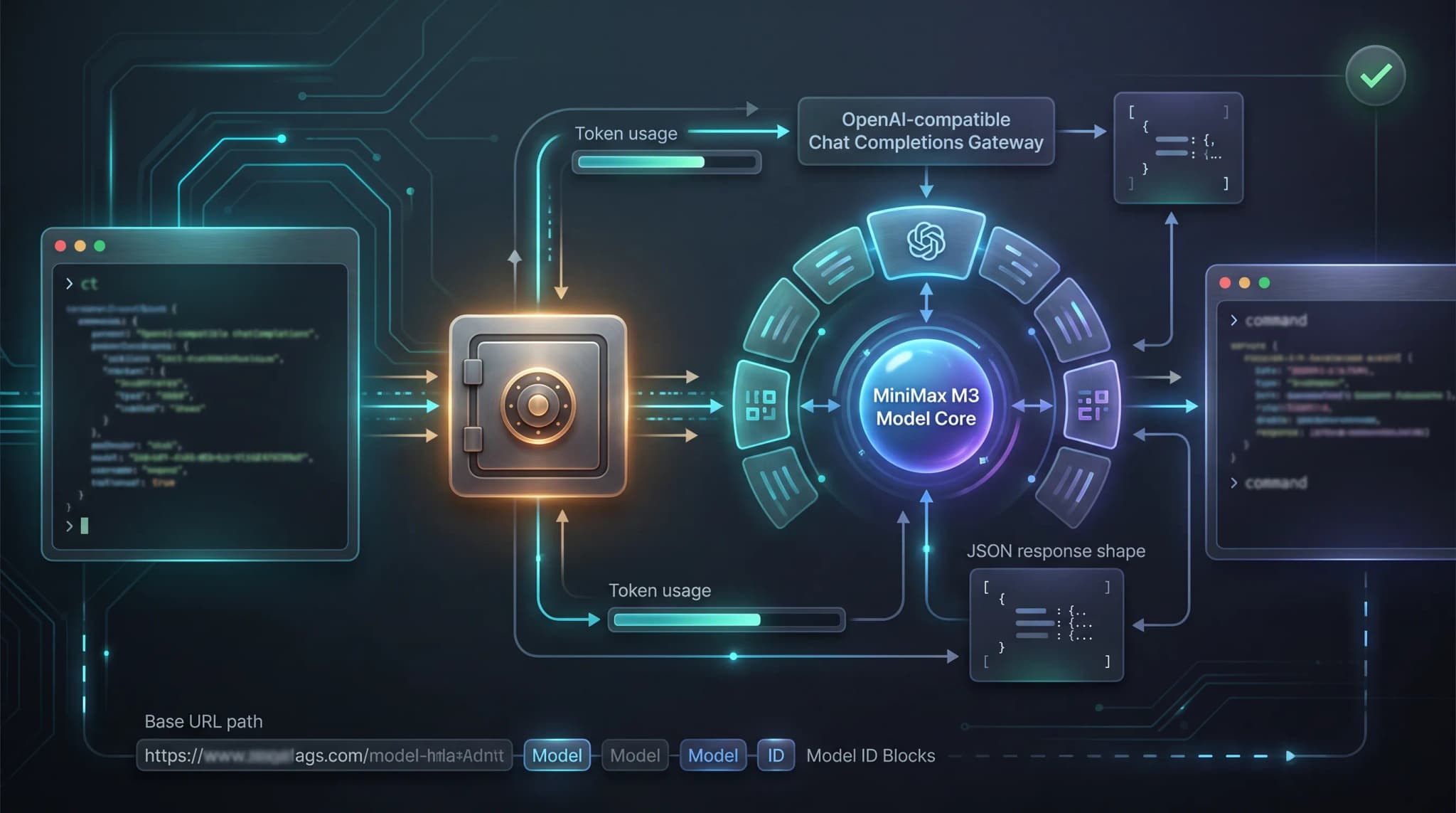
A MiniMax M3 API key is only useful when the credential, base URL,
endpoint, model ID, and request body agree. A valid key can still return a 400,
401, or 404 if an application sends it to the wrong gateway, uses a model ID
with the wrong punctuation, or passes the full endpoint into a client that
already appends /chat/completions.
This guide shows the shortest reliable path to a first MiniMax M3 request through OurToken. You will create or locate an API key, configure the MiniMax M3 API endpoint, run a cURL smoke test, call the same route from Python, inspect usage fields, calculate a realistic cost, and add production safeguards. The current OurToken route is:
Base URL:     https://api.ourtoken.ai/v1
Full URL:     https://api.ourtoken.ai/v1/chat/completions
Model ID:     minimax-m3
The examples use the current MiniMax M3 API page and the OurToken API documentation as the configuration source. The page is the compatibility boundary for the OurToken route: use its model ID, request fields, and current prices rather than assuming that every MiniMax parameter is accepted unchanged.
Verification status: The examples are documentation-verified against the live OurToken MiniMax M3 page, but they were not executed with a live API key in this draft. Run the minimal request with your own credential, inspect the response, and verify optional features before sending production traffic.
MiniMax M3 API Key Setup and First Request
The key, base URL, operation path, and model value are separate settings. Keep them separate in environment variables or server-side configuration so a model switch does not require editing every request call.
Exact values to copy
| Setting | Current OurToken value | What it controls |
|---|---|---|
| API key | OURTOKEN_API_KEY | Authenticates the request |
| SDK base URL | https://api.ourtoken.ai/v1 | The URL passed to an OpenAI-compatible client |
| Full API endpoint | https://api.ourtoken.ai/v1/chat/completions | The URL used by cURL or raw HTTP |
| Model ID | minimax-m3 | Selects the MiniMax M3 route |
| Required body fields | model, messages, max_tokens | Identifies the route and conversation |
| Output limit | max_tokens | Caps generated output for a predictable test |
The difference between a base URL and a full endpoint is the most common setup
mistake. The OpenAI Python SDK appends /chat/completions when you call
client.chat.completions.create, so its base_url must stop at /v1. cURL
does not construct that path; it must use the complete /v1/chat/completions
URL.
What the OpenAI-compatible route means
An OpenAI-compatible API is a request and response contract, not a promise that
every provider exposes identical models or parameters. With the OurToken route,
the reusable parts are the Bearer authorization header, the Chat Completions
path, the messages array, and the OpenAI SDK method. The model-specific value
is minimax-m3.
Do not use any of these as the API model value:
minimax/m3, which resembles a catalog path;MiniMax M3, which is a display name rather than the current model ID;minimax-m-3, which inserts an extra hyphen;minimax m3, which omits the punctuation the API expects.
The current OurToken page lists optional fields such as temperature, top_p,
stream, stream_options, tools, tool_choice, and response_format.
Start without them. Add one at a time after the plain request works, because a
route can expose a generic field while still applying model-specific limits or
behavior.
Get and Test a MiniMax M3 API Key
An API key authenticates an application request. It is not a MiniMax console login, a model ID, or a browser session. For the OurToken route, use the OurToken API Keys page to create or manage the credential. The protected page may redirect to login before key management is available.
Store the key in a server-side secret or a local environment variable during development. Never put it in frontend JavaScript, a mobile bundle, a public repository, a notebook shared with other people, or a screenshot.
On macOS or Linux:
export OURTOKEN_API_KEY="paste-your-key-locally"
On Windows PowerShell:
$env:OURTOKEN_API_KEY = "paste-your-key-locally"
The variable name is an application convention. The HTTP header on this route is:
Authorization: Bearer YOUR_API_KEY
Configuration checklist.
- The key was created for the OurToken gateway.
- The full cURL URL ends in
/v1/chat/completions. - The Python SDK base URL ends in
/v1, not/chat/completions. - The JSON model value is exactly
minimax-m3. - The request includes
max_tokens. - The
systeminstruction, if any, is a top-level message. - The key is available only to the server process that needs it.
cURL smoke test
This is a minimal non-streaming MiniMax M3 cURL example. It uses a short prompt and a small output limit so configuration failures return quickly:
curl -sS https://api.ourtoken.ai/v1/chat/completions \
  -H "Content-Type: application/json" \
  -H "Authorization: Bearer ${OURTOKEN_API_KEY}" \
  -d '{
    "model": "minimax-m3",
    "messages": [
      {
        "role": "user",
        "content": "Give me a three-step checklist for reviewing a database migration."
      }
    ],
    "max_tokens": 256
  }'
PowerShell version.
PowerShell can build the JSON body as an object. This avoids nested quote escaping and is easier to edit for a real prompt:
$payload = @{
  model = "minimax-m3"
  max_tokens = 256
  messages = @(
    @{
      role = "user"
      content = "Give me a three-step checklist for reviewing a database migration."
    }
  )
} | ConvertTo-Json -Depth 5

curl.exe "https://api.ourtoken.ai/v1/chat/completions" `
  -H "Content-Type: application/json" `
  -H "Authorization: Bearer $env:OURTOKEN_API_KEY" `
  --data-raw $payload
What a successful response should contain.
Do not depend on the exact generated wording. Inspect the response structure and
confirm the returned model before adding application logic. The Messages API
returns a choices array, and the assistant content is nested inside the first
choice:
{
  "id": "chatcmpl-redacted",
  "object": "chat.completion",
  "model": "minimax-m3",
  "choices": [
    {
      "index": 0,
      "message": {
        "role": "assistant",
        "content": "1. Review the schema changes.\n2. Test rollback.\n3. Validate production impact."
      },
      "finish_reason": "stop"
    }
  ],
  "usage": {
    "prompt_tokens": 30,
    "completion_tokens": 24,
    "total_tokens": 54
  }
}
This is an illustrative response shape, not a live response captured from an
OurToken account. The current model page documents prompt_tokens,
completion_tokens, and total_tokens for the route. If cache details are
present, prompt_tokens_details.cached_tokens is a breakdown of the prompt
total, not a second full input quantity. Read the assistant text from
choices[0].message.content, not from a streaming delta or a flat text field.
Common cURL mistakes.
| Symptom | Likely cause | Fix |
|---|---|---|
401 Unauthorized | Missing key, or Authorization: Bearer header omitted | Use the Authorization: Bearer header with an OurToken key |
404 Not Found | Wrong path or model value | Use /v1/chat/completions and minimax-m3 |
400 for a missing field | max_tokens omitted, or system placed inside messages | Add max_tokens and keep system as a role: system message inside messages |
400 after adding an option | The route rejects an optional field | Remove it and compare with the current model page |
429 Too Many Requests | Rate limit or account capacity | Use bounded backoff and avoid unlimited retries |
500-599 | Upstream capacity pressure | Retry with a maximum attempt count |
| Empty or partial output | Output cap or context limit was reached | Inspect finish_reason and adjust the prompt or max_tokens |
Do not retry a 400, 401, or 404 request unchanged. Those responses indicate a configuration or request problem, not a transient service failure.
MiniMax M3 Python API Usage
The official OpenAI Python library can send requests through the OurToken-compatible base URL. Install it in the same environment that will run the integration:
python -m pip install --upgrade openai
Then configure the client with the base URL, not the full endpoint. The SDK
appends /chat/completions:
import os

from openai import OpenAI


client = OpenAI(
    api_key=os.environ["OURTOKEN_API_KEY"],
    base_url="https://api.ourtoken.ai/v1",
)

response = client.chat.completions.create(
    model="minimax-m3",
    messages=[
        {
            "role": "system",
            "content": "You are a concise software engineering assistant.",
        },
        {
            "role": "user",
            "content": "List the checks for a safe database migration.",
        },
    ],
    max_tokens=256,
)

message = response.choices[0].message
print(message.content or "")

if response.usage:
    usage = response.usage
    print(
        {
            "prompt_tokens": usage.prompt_tokens,
            "completion_tokens": usage.completion_tokens,
            "total_tokens": usage.total_tokens,
        }
    )
The response usage names matter. Do not silently rename
prompt_tokens/completion_tokens to input_tokens/output_tokens unless
your own application adds an explicit conversion layer. Different SDKs and
providers use different aliases; the current OurToken compatibility response
documents the prompt/completion names above.
Keep the first Python request deterministic.
The first successful call should prove four things: the key is accepted, the route is reachable, the model ID is correct, and the response contains an assistant message. These checks catch proxy or configuration mistakes earlier than a long application workflow:
assert response.model == "minimax-m3"
assert response.choices
assert response.choices[0].message.role == "assistant"
assert response.choices[0].message.content is not None
In production, replace assertions with structured error handling and telemetry. An application should fail clearly if a gateway returns a different model or an empty response.
Multi-turn, streaming, and optional fields
Chat Completions is stateless from the application's perspective. Send the conversation history again when asking a follow-up question:
messages = [
    {"role": "system", "content": "You are a concise software engineering assistant."},
    {"role": "user", "content": "What should I verify before a migration?"},
]

first = client.chat.completions.create(
    model="minimax-m3",
    messages=messages,
    max_tokens=256,
)

messages.append(first.choices[0].message.model_dump(exclude_none=True))
messages.append(
    {
        "role": "user",
        "content": "Now turn that into a release checklist.",
    }
)

second = client.chat.completions.create(
    model="minimax-m3",
    messages=messages,
    max_tokens=256,
)

print(second.choices[0].message.content or "")
If you add tools, preserve the complete assistant message, including tool-call
metadata, instead of storing only content. Tool results must keep their
matching tool-call IDs. The tool-calling guide
shows the general message pattern and validation concerns.
For streaming output, set stream=True and print non-empty content deltas:
stream = client.chat.completions.create(
    model="minimax-m3",
    messages=[{"role": "user", "content": "Summarize the deployment checklist."}],
    max_tokens=256,
    stream=True,
)

for chunk in stream:
    if not chunk.choices:
        continue
    delta = chunk.choices[0].delta.content
    if delta:
        print(delta, end="", flush=True)

print()
Streaming changes where you receive the final usage object. If your application
needs token accounting for streamed responses, check the current model page's
stream_options behavior and handle the final usage-bearing event rather than
assuming every chunk contains complete usage data.
Do not add tools, structured output, or provider-specific reasoning controls to the first request. Verify each optional field on the current OurToken route, then add one feature and one test case at a time.
Move from Testing to Production
A successful smoke test proves only that one request passed. A usable MiniMax M3 integration also needs secret isolation, usage accounting, budget controls, timeouts, retries, and a plan for model selection.
Request architecture.
User or internal service
          |
          | application request
          v
Your backend or job worker
          |
          | Authorization: Bearer OURTOKEN_API_KEY
          v
https://api.ourtoken.ai/v1/chat/completions
          |
          | model = minimax-m3
          v
MiniMax M3 route
          |
          v
Assistant response + usage data
          |
          v
Redacted logs, budget checks, and application output
Never expose the API key to a browser. The backend should also own the model allowlist instead of accepting an arbitrary model string from an untrusted client:
SUPPORTED_MODELS = {
    "m3": "minimax-m3",
}


def resolve_model(name: str) -> str:
    try:
        return SUPPORTED_MODELS[name]
    except KeyError as exc:
        raise ValueError("Unsupported model selection") from exc
A practical coding workflow.
The current MiniMax M3 model page positions the route for hosted API access, coding workflows, long-context tasks, multimodal evaluation, and production assistant workloads. A code-review service can start with a stable system instruction, the relevant diff, and test output, then ask for findings in a predictable format. A safe workflow is:
- Keep repository instructions and the review policy on the server.
- Send only the relevant diff and test output for each review.
- Bound
max_tokensso a malformed prompt cannot create an unbounded bill. - Validate paths, commands, and structured fields before using model output.
- Require human approval before a tool can modify a repository.
- Record model, status, latency, token usage, and cost without logging the key.
For a service with several supported models, the model routing guide describes how to send simpler work to a lower-cost route and reserve stronger routes for tasks that need them.
When MiniMax M3 Fits Best
MiniMax M3 is a useful middle ground when you want a route that is easier on budget than a flagship model but still strong enough for real work. The live OurToken page positions the model for coding workflows, agent workflows, long-context tasks, multimodal evaluation, and production assistants. That is a useful signal for product teams: M3 is not just a toy chat route, it is intended for real assistant workloads where you need structured output and a predictable bill.
A practical rule is to use MiniMax M3 when the task is important enough that a toy model would be too weak, but not so expensive that every extra token should be spent on a frontier route. If you are building a support bot, a document summarizer, a label extractor, or a translation-adjacent assistant, M3 is a good candidate because it balances cost and output quality without forcing you to rebuild your application around a different endpoint.
Cost, usage, and reliability
Pricing for MiniMax M3 on OurToken is listed on the live model page, alongside the official MiniMax comparison price. OurToken typically prices routes below the official provider list price. Confirm the exact per-million-token rates on the live MiniMax M3 pricing and model configuration before setting a budget.
| Token category | Official (MiniMax) | OurToken price |
|---|---|---|
| Input | $0.60 / 1M tokens | $0.2400 / 1M tokens |
| Output | $2.40 / 1M tokens | $0.9600 / 1M tokens |
| Cached input | $0.12 / 1M tokens | $0.0480 / 1M tokens |
| Cache writes | $0 / 1M tokens | $0 / 1M tokens |
For 100,000 uncached input tokens and 10,000 output tokens:
Input:   100,000 / 1,000,000 * $0.2400 = $0.02400
Output:   10,000 / 1,000,000 * $0.9600 = $0.00960
Total:                                 = $0.03360
The Chat Completions usage object is structured differently from many custom accounting layers, and the difference matters for cost math. In the Chat Completions
API, prompt_tokens is the total prompt count and cached tokens are reported in a
nested breakdown. You do need to subtract cached tokens from prompt_tokens
before applying the uncached input rate:
estimated_cost =
  (prompt_tokens - cached_tokens) * input_rate
  + cached_tokens * cache_read_rate
  + completion_tokens * output_rate
If the route returns prompt_tokens_details.cached_tokens, charge the remainder of prompt_tokens at the full input_rate and charge cached tokens at the cache_read_rate. Caching does
not reduce the number of tokens your application sends; it changes how a portion
of input is billed. The prompt caching guide
explains how stable prefixes, cache hits, and usage measurement affect a
compatible API workflow. Measure actual usage instead of assuming that every
repeated prompt receives a cache hit.
Retry and timeout policy.
| Status | Retry by default? | Action |
|---|---|---|
| 400 | No | Fix the body or remove an unsupported field |
| 401 | No | Replace or reconfigure the credential |
| 404 | No | Check the base URL, path, and model ID |
| 429 | Yes, bounded | Back off and respect account limits |
| 500-599 | Yes, bounded | Retry with a maximum attempt count |
| Network timeout | Conditional | Retry only when duplicate execution is safe |
Retries can duplicate a model request after a client-side timeout. For chat-only work, that may be acceptable; for tool calls or external side effects, use an idempotency strategy and require confirmation before executing the action.
Release checklist.
- The key is available only to a server process or protected worker.
- The cURL smoke test succeeds with
model: "minimax-m3". - The OpenAI Python client uses
base_url="https://api.ourtoken.ai/v1". - The response model, message role, finish reason, and usage are validated.
- Cached tokens are not counted twice in cost calculations.
- 400, 401, 404, 429, timeout, and 5xx behavior is tested.
- Prompts, responses, and the
Authorizationheader are redacted in logs. - Streaming, tools, and structured output are enabled one at a time.
Choose MiniMax M3 When...
A good way to decide quickly is to ask whether the request is valuable enough to matter, but not so specialized that you need a flagship route for every call. MiniMax M3 is a strong candidate when:
- You need a single API call to summarize, rewrite, or normalize text without custom orchestration.
- You are building an internal assistant where cost matters, but the output must still be dependable enough for a human to use without heavy rewriting.
- You have repeated prompts with a stable prefix and want the cached-input rate to do real work for you.
- You want a route that is suitable for coding workflows, agent workflows, and long-context tasks without paying the highest-tier price on every request.
What MiniMax M3 is not for is the case where every response must be perfect on first pass, every time, with no opportunity to correct output downstream. In that case you should compare it directly against your stronger model of choice and look at the total cost of ownership, not just the token line item.
How to Benchmark MiniMax M3
The best benchmark is your own prompt, not a synthetic benchmark that looks good in a slide deck. Pick one prompt from each of these buckets: a short extraction job, a moderate summary job, and a coding-related job. Run the same prompt with and without a stable system prefix so you can see whether caching changes your bill, and compare how many human edits each output needs.
When you compare the output, look at three things: whether the answer is usable without rework, whether the response stays consistent across two or three runs, and whether the route stays within a predictable token budget. If one route is slightly cheaper but needs a second pass from a human, the cheaper token price is not the cheaper total cost. MiniMax M3's pricing makes it attractive when you can show that the route saves money on repeated or operationally simple prompts. If your team sends a lot of repeatable instructions, long summaries, or multilingual rewrites, the cached input rate can matter more than the headline output price. If your team mostly runs short, high-value, reasoning-heavy prompts, compare M3 against a stronger route on your exact workload before standardizing.
Conclusion and Frequently Asked Questions
The reliable MiniMax M3 setup is small: create an OurToken key, set
https://api.ourtoken.ai/v1 as the SDK base URL, call /chat/completions, and
send the exact minimax-m3 model ID. Start with the short cURL request,
repeat it in Python, inspect usage, and only then add streaming, tools,
structured output, or larger prompts. The model page positions M3 for coding,
agent workflows, long-context tasks, multimodal evaluation, and production
assistants, which makes it a practical middle route when you want more than a
budget flash model but less spend than a premium frontier route.
If you are choosing between MiniMax M3 and a bigger route, start with the actual output you need to ship, not the model family name. For one-line labels, classification, extraction, or concise summaries, MiniMax M3 usually gives you a better cost profile than paying for a premium route. For long-form drafting or reasoning-heavy prompts, compare it against your stronger model of choice on the same task and keep the route that produces the fewest edits. When you are ready to test with a real credential, review the MiniMax M3 API configuration and create a key through the OurToken API Keys page. Keep the key server-side and compare actual usage with the dated pricing examples before moving to production traffic.
FAQ
What is the MiniMax M3 API endpoint on OurToken?
The current full endpoint is https://api.ourtoken.ai/v1/chat/completions. When
using the OpenAI Python SDK, set base_url to https://api.ourtoken.ai/v1 and
call client.chat.completions.create.
What is the MiniMax M3 model ID?
Use minimax-m3 as the API model value. Do not use minimax/m3, minimax-m-3, or the display name MiniMax M3.
Can I use the OpenAI Python SDK for MiniMax M3?
Yes. Install the openai package, set the OurToken base URL, load the key from
OURTOKEN_API_KEY, and call Chat Completions with model="minimax-m3".
Which usage fields should I read in Python?
Use prompt_tokens, completion_tokens, and total_tokens as documented by
the current OurToken model page. If available, read
prompt_tokens_details.cached_tokens as a breakdown of the input total.
Should I add tools or structured output to the first request?
No. Start with a plain text request, verify the route and response, then add one optional field at a time. Validate tool arguments and structured output in your application before using them in an external action.