DeepSeek V4 API Pricing: Flash vs Pro Cost Calculator
Compare DeepSeek V4 API pricing for Flash and Pro, including token costs, cached input pricing, Python cost calculator code, and API key setup notes.
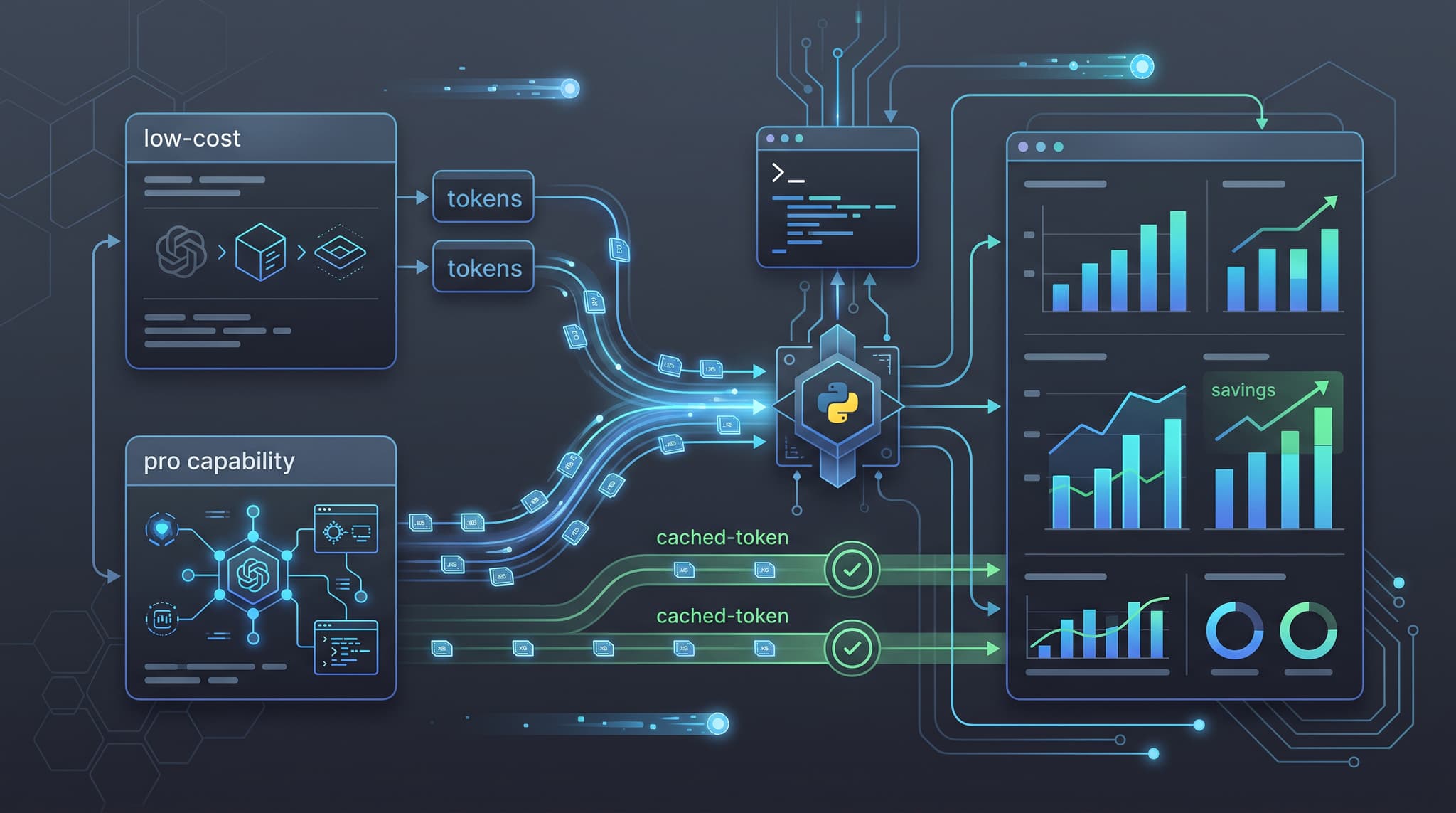
DeepSeek V4 API pricing matters most when you are choosing between a cheaper high-volume route and a stronger route for harder reasoning or coding tasks. A model can look inexpensive on a pricing page, but the real bill depends on prompt size, output length, cached input, retries, and which route you choose for each request.
This guide compares DeepSeek V4 Flash and DeepSeek V4 Pro through OurToken, then gives you a Python cost calculator you can reuse with real usage objects from Chat Completions responses. The goal is not to say one route is always better. The goal is to help you decide when Flash is the default, when Pro is worth the extra token cost, and how to avoid the most common cost-accounting mistake: counting cached tokens twice.
The conversion path is intentionally practical. Keep the DeepSeek V4 Flash API page, the DeepSeek V4 Pro API page, and OurToken API Keys open while you test. Those pages are the current source of truth for route names, model IDs, endpoint shape, and live prices.
Verification status: This article is documentation-verified against live OurToken DeepSeek V4 Flash and Pro pages on 2026-08-03. Prices can change. Before using the calculator for budgeting, re-check the model pages and run a small request with your own API key.
DeepSeek V4 API Pricing at a Glance
DeepSeek V4 has two useful pricing personalities on OurToken. Flash is the cost-efficient route for high-volume chat, summarization, extraction, and fast experiments. Pro is the higher-capability route for harder reasoning, coding, and production assistant tasks where a better first answer can reduce retries or human review.
Both routes use an OpenAI-compatible Chat Completions shape through OurToken:
Base URL:      https://api.ourtoken.ai/v1
Full endpoint: https://api.ourtoken.ai/v1/chat/completions
Flash model:   deepseek-v4-flash
Pro model:     deepseek-v4-pro
Auth header:   Authorization: Bearer YOUR_API_KEY
DeepSeek's official pricing page is also useful for understanding first-party token categories and reference pricing; see the official DeepSeek API pricing documentation. For OurToken billing, however, use the route-level prices shown on the OurToken model pages.
Flash vs Pro price table
At the time this article was prepared, the live OurToken pages listed these prices:
| Token category | DeepSeek V4 Flash on OurToken | Flash official reference | DeepSeek V4 Pro on OurToken | Pro official reference |
|---|---|---|---|---|
| Input | $0.1120 / 1M tokens | $0.14 / 1M tokens | $0.3480 / 1M tokens | $0.435 / 1M tokens |
| Output | $0.2240 / 1M tokens | $0.28 / 1M tokens | $0.6960 / 1M tokens | $0.87 / 1M tokens |
| Cached input | $0.0020 / 1M tokens | $0.0028 / 1M tokens | $0.0030 / 1M tokens | $0.003625 / 1M tokens |
| Cache writes | $0 / 1M tokens | $0 / 1M tokens | $0 / 1M tokens | $0 / 1M tokens |
The headline comparison is simple: both DeepSeek V4 Flash and DeepSeek V4 Pro list input/output pricing at 80% of the official reference on their OurToken pages. But the cached-input row is not just a marketing footnote. For repeated system prompts, agent instructions, tool schemas, and long context that can be reused, cached input can have a much larger impact on real spend than switching routes alone.
Endpoint and model IDs
For raw HTTP, use the full endpoint:
curl https://api.ourtoken.ai/v1/chat/completions \
  -H "Content-Type: application/json" \
  -H "Authorization: Bearer $OURTOKEN_API_KEY" \
  -d '{
    "model": "deepseek-v4-flash",
    "messages": [
      {"role": "user", "content": "Summarize this request in one sentence."}
    ],
    "max_tokens": 120
  }'
For the OpenAI Python SDK, use only the base URL:
from openai import OpenAI
import os

client = OpenAI(
    api_key=os.environ["OURTOKEN_API_KEY"],
    base_url="https://api.ourtoken.ai/v1",
)
The SDK appends /chat/completions when you call client.chat.completions.create. Do not pass the full endpoint as base_url, or your client may produce a doubled path and a confusing 404.
For model IDs, copy the values exactly: deepseek-v4-flash and deepseek-v4-pro. Display names, website paths, and guessed variants are not interchangeable with API model IDs.
DeepSeek V4 Cost Calculator in Python
A good calculator starts with the actual usage object returned by the API, not a spreadsheet guess. Chat Completions responses usually expose usage.prompt_tokens, usage.completion_tokens, and usage.total_tokens. Some routes may also include usage.prompt_tokens_details.cached_tokens when cached input is reported.
The important accounting rule is this: cached tokens are a subset of input tokens. If prompt_tokens is 60,000 and cached_tokens is 45,000, the request did not use 105,000 input tokens. It used 60,000 input tokens, of which 45,000 were billed at the cached-input rate.
This is the most common mistake in DeepSeek V4 token cost calculators. It makes cached workloads look more expensive than they really are and can push teams toward the wrong model route.
Safe usage normalization
The OpenAI SDK may return a typed object rather than a plain dictionary. Compatibility gateways may also use slightly different field names. Normalize before calculating.
from typing import Any


def to_dict(value: Any) -> dict:
    if value is None:
        return {}
    if isinstance(value, dict):
        return value
    if hasattr(value, "model_dump"):
        return value.model_dump()
    return dict(value)


def normalize_chat_usage(usage: Any) -> dict[str, int]:
    data = to_dict(usage)
    details = to_dict(
        data.get("prompt_tokens_details") or data.get("input_tokens_details")
    )

    prompt_tokens = data.get("prompt_tokens", data.get("input_tokens", 0)) or 0
    completion_tokens = data.get(
        "completion_tokens", data.get("output_tokens", 0)
    ) or 0
    cached_tokens = details.get("cached_tokens", 0) or 0
    cache_write_tokens = details.get("cache_write_tokens", 0) or 0

    return {
        "prompt_tokens": int(prompt_tokens),
        "completion_tokens": int(completion_tokens),
        "cached_tokens": int(cached_tokens),
        "cache_write_tokens": int(cache_write_tokens),
    }
Even though the current OurToken DeepSeek V4 pages list cache writes at $0 / 1M tokens, keep cache_write_tokens in the calculator. It makes the function safer if a route starts reporting explicit cache writes later or if you reuse the code for another model family.
Calculator code
The calculator below supports Flash and Pro, handles cached input, and returns a cost breakdown instead of only a total. That matters because output can dominate some workloads while input dominates others.
from dataclasses import dataclass


@dataclass(frozen=True)
class DeepSeekRoute:
    name: str
    model: str
    input_per_million: float
    output_per_million: float
    cached_input_per_million: float
    cache_write_per_million: float


DEEPSEEK_V4_FLASH = DeepSeekRoute(
    name="DeepSeek V4 Flash",
    model="deepseek-v4-flash",
    input_per_million=0.1120,
    output_per_million=0.2240,
    cached_input_per_million=0.0020,
    cache_write_per_million=0.0,
)

DEEPSEEK_V4_PRO = DeepSeekRoute(
    name="DeepSeek V4 Pro",
    model="deepseek-v4-pro",
    input_per_million=0.3480,
    output_per_million=0.6960,
    cached_input_per_million=0.0030,
    cache_write_per_million=0.0,
)


def estimate_deepseek_cost_usd(
    usage: dict[str, int],
    route: DeepSeekRoute,
) -> dict[str, float]:
    prompt_tokens = usage["prompt_tokens"]
    completion_tokens = usage["completion_tokens"]
    cached_tokens = usage.get("cached_tokens", 0)
    cache_write_tokens = usage.get("cache_write_tokens", 0)

    uncached_tokens = max(prompt_tokens - cached_tokens - cache_write_tokens, 0)

    uncached_input_cost = uncached_tokens / 1_000_000 * route.input_per_million
    cached_input_cost = cached_tokens / 1_000_000 * route.cached_input_per_million
    cache_write_cost = cache_write_tokens / 1_000_000 * route.cache_write_per_million
    output_cost = completion_tokens / 1_000_000 * route.output_per_million
    total_cost = (
        uncached_input_cost
        + cached_input_cost
        + cache_write_cost
        + output_cost
    )

    return {
        "uncached_input_cost": uncached_input_cost,
        "cached_input_cost": cached_input_cost,
        "cache_write_cost": cache_write_cost,
        "output_cost": output_cost,
        "total_cost": total_cost,
    }


sample_usage = normalize_chat_usage(
    {
        "prompt_tokens": 60_000,
        "completion_tokens": 2_000,
        "prompt_tokens_details": {"cached_tokens": 45_000},
    }
)

for route in (DEEPSEEK_V4_FLASH, DEEPSEEK_V4_PRO):
    print(route.name, estimate_deepseek_cost_usd(sample_usage, route))
If you call the API first, plug response.usage into normalize_chat_usage(response.usage) and then pass the normalized result into the calculator. That gives you route-level cost estimates based on real usage, not estimated prompt length.
Flash vs Pro Scenarios
The fastest way to decide between DeepSeek V4 Flash and DeepSeek V4 Pro is to run the same usage shape through both prices. Start with three scenarios: short chat, coding review, and repeated long-context prompts.
| Scenario | Prompt tokens | Cached tokens | Output tokens | Flash cost | Pro cost |
|---|---|---|---|---|---|
| Support triage | 3,000 | 0 | 300 | $0.0004032 | $0.0012528 |
| Code review | 40,000 | 0 | 2,000 | $0.004928 | $0.015312 |
| Cached long prompt | 60,000 | 45,000 | 2,000 | $0.002218 | $0.006747 |
These examples are not forecasts for every app. They are a way to think. Flash remains meaningfully cheaper in pure token cost, while Pro has to justify itself through quality: fewer retries, better coding accuracy, more reliable reasoning, or fewer human escalations.
A single-request calculator is useful for debugging, but a real budget needs volume. Convert each scenario into monthly spend by multiplying the request cost by expected traffic, then adding a safety margin for retries, failed validations, and longer-than-expected outputs. For example, a support triage workflow that costs about $0.0004032 per Flash request costs roughly $40.32 for 100,000 successful requests before retries. The same token shape on Pro costs about $125.28. That difference is large enough to justify a routing policy, but not large enough to ignore quality. If Pro prevents even a small number of costly escalations, the business result may still favor Pro for high-impact tasks.
Use a monthly forecast table like this before changing production traffic:
| Workload | Monthly requests | Default route | Expected retries | Budget note |
|---|---|---|---|---|
| Support triage | 100,000 | Flash | 3% | Optimize prompt length and cache hit rate |
| Code review | 20,000 | Pro | 8% | Measure acceptance rate, not just token cost |
| Document summary | 50,000 | Flash | 2% | Watch long input and cached tokens |
| Agent planning | 10,000 | Pro | 10% | Track failed tool plans and retries |
The table forces one healthy question: what are you paying for? If the answer is "tokens," Flash usually wins. If the answer is "successful code review," "fewer manual escalations," or "a reliable agent plan," Pro may deserve a slice of traffic even when its token price is higher. Mature teams rarely choose one model for everything. They start with a default route, measure failures, and escalate only the requests where better reasoning changes the outcome.
High-volume chat vs harder coding
For high-volume chat, classification, extraction, and simple summarization, DeepSeek V4 Flash is usually the better first default. Its input and output rates are lower, and the cost gap compounds quickly when traffic grows.
For harder coding or reasoning, DeepSeek V4 Pro may be cheaper in the business sense even when the token bill is higher. If Flash needs three retries or produces answers that require human review, the lower unit price can disappear. In those cases, compare task success, not just token cost.
A practical routing policy looks like this:
Default route: DeepSeek V4 Flash
Escalate to Pro when:
  - the prompt is coding-heavy or reasoning-heavy
  - Flash returns low confidence or fails validation
  - the task has high business impact
  - a retry would cost more than using Pro first
This is where an API gateway becomes useful. You can keep the same Chat Completions request shape, route easy prompts to Flash, send harder prompts to Pro, and record token spend by route. If you already use OurToken, the earlier DeepSeek V4 API key setup guide covers the endpoint and model ID details so this article can stay focused on pricing.
For repeated long prompts, cached input can change the math. In the cached scenario above, Flash falls from about $0.007168 without cache to about $0.002218 with 45,000 cached tokens. Pro falls from about $0.022272 to about $0.006747. That is not because the model processed fewer tokens. It is because part of the input was billed at a cached-input rate. For the engineering details, see the OpenAI-compatible prompt caching guide.
One subtle cost trap is output growth. Teams often optimize input prompts while letting the model produce long answers, verbose reasoning summaries, or repeated boilerplate. DeepSeek V4 Flash and Pro both have lower input prices than output prices, so uncontrolled completions can dominate the bill. Set max_tokens for each feature, ask for concise output when the product does not need long prose, and log completion length separately from prompt length. A summarization endpoint may look cheap in testing with 200-token outputs, then become expensive in production when users ask for detailed reports.
Another trap is retrying the same failed prompt without changing anything. If a validation step rejects an answer, record the failure reason and decide whether to repair the prompt, escalate to Pro, or return a controlled error. Blind retries can double or triple token cost while producing the same bad answer. For budget planning, retry rate belongs next to token count, not in a separate reliability dashboard.
Production Budgeting Checklist
A cost calculator is useful, but production budgets fail when teams only measure a single request. Track cost at the same level where product decisions happen: route, feature, customer, environment, and prompt version.
Application request
  -> classify workload difficulty
  -> choose Flash or Pro
  -> call /chat/completions
  -> normalize usage fields
  -> calculate route-level cost
  -> log feature, customer, prompt version, and route
  -> review cost per successful task
The key phrase is cost per successful task. A cheap failed request is not cheap if it creates retries, support tickets, or manual review. A more expensive Pro request can be rational when it improves first-pass success for high-value tasks.
Use this checklist before making a pricing decision:
| Check | Why it matters |
|---|---|
| Same prompt set | Prevents biased Flash vs Pro comparisons |
| Same output limit | Keeps output token cost comparable |
| Usage logging | Turns estimates into measured costs |
| Retry tracking | Shows whether cheap requests become expensive |
| Cache hit tracking | Explains cost changes for repeated prompts |
| Prompt version labels | Helps diagnose cost spikes after prompt edits |
| Customer or tenant labels | Shows who drives the bill |
| Route-level dashboard | Separates Flash economics from Pro economics |
Also keep API credentials separate from pricing configuration. Create a key from OurToken API Keys, store prices in route configuration, and update the configuration when live model pages change. Do not hard-code prices into every feature file.
A lightweight monthly forecast helper can sit next to the request calculator:
def estimate_monthly_spend(
    request_cost_usd: float,
    monthly_requests: int,
    retry_rate: float = 0.0,
    safety_margin: float = 0.15,
) -> float:
    effective_requests = monthly_requests * (1 + retry_rate)
    base_spend = request_cost_usd * effective_requests
    return base_spend * (1 + safety_margin)
The safety margin is not pessimism; it is the price of real usage. Users paste longer inputs than test cases, product managers add one more instruction, and agents sometimes retry after tool errors. A 10% to 25% buffer is usually more honest than a perfect spreadsheet built from one golden prompt.
For a minimal production configuration, start with this shape:
ROUTES = {
    "cheap_default": DEEPSEEK_V4_FLASH,
    "hard_tasks": DEEPSEEK_V4_PRO,
}

FEATURE_ROUTE_POLICY = {
    "support_triage": "cheap_default",
    "faq_summarization": "cheap_default",
    "code_review": "hard_tasks",
    "agent_planning": "hard_tasks",
}
That is enough to let engineering and finance talk about the same thing. If support_triage suddenly gets expensive, you can inspect prompt size, cache hit rate, output length, and route selection instead of guessing from the total bill.
Conclusion and FAQ
DeepSeek V4 API pricing is not just a table lookup. Flash and Pro have different roles, and the right choice depends on workload difficulty, prompt size, output length, cache behavior, and retry rate. Flash is the natural default for high-volume cost-sensitive traffic. Pro is the route to test when answer quality can reduce retries or manual review.
If you want the shortest path to action, start with DeepSeek V4 Flash for a low-cost baseline, compare it against DeepSeek V4 Pro on your hardest prompts, and create a credential from OurToken API Keys when you are ready to run live measurements.
FAQ
What is DeepSeek V4 API pricing on OurToken?
At the time of writing, DeepSeek V4 Flash lists $0.1120/M input and $0.2240/M output, while DeepSeek V4 Pro lists $0.3480/M input and $0.6960/M output. Check the live model pages before budgeting.
What is the difference between DeepSeek V4 Flash and Pro pricing?
Flash is cheaper for input, output, and cached input. Pro costs more but is positioned for higher-capability reasoning, coding, chat, and assistant workloads.
How do I calculate DeepSeek V4 token cost?
Multiply uncached input tokens by the input rate, cached tokens by the cached-input rate, output tokens by the output rate, and cache-write tokens by the cache-write rate. Do not add cached tokens on top of total input tokens.
Does cached input reduce token count?
Usually no. Cached input reduces the price applied to repeated prompt tokens. The prompt may still contain the same number of tokens, but some of those tokens are billed at a lower cached-input rate.
Which route should I use first?
Use DeepSeek V4 Flash first for high-volume or cost-sensitive tasks. Test DeepSeek V4 Pro when reasoning quality, coding accuracy, or lower retry rates matter more than the lowest unit price.
Do I need a separate DeepSeek API key?
For the OurToken route, use an OurToken API key with Authorization: Bearer YOUR_API_KEY and the OurToken base URL. Do not mix an OurToken key with a provider endpoint or a provider key with the OurToken endpoint.