DeepSeek V4 API Key Setup: Endpoint, Model ID, and Python Example
Set up a DeepSeek V4 API key with OurToken's OpenAI-compatible endpoint. Use the deepseek-v4-pro model ID, test cURL, and call the API from Python.
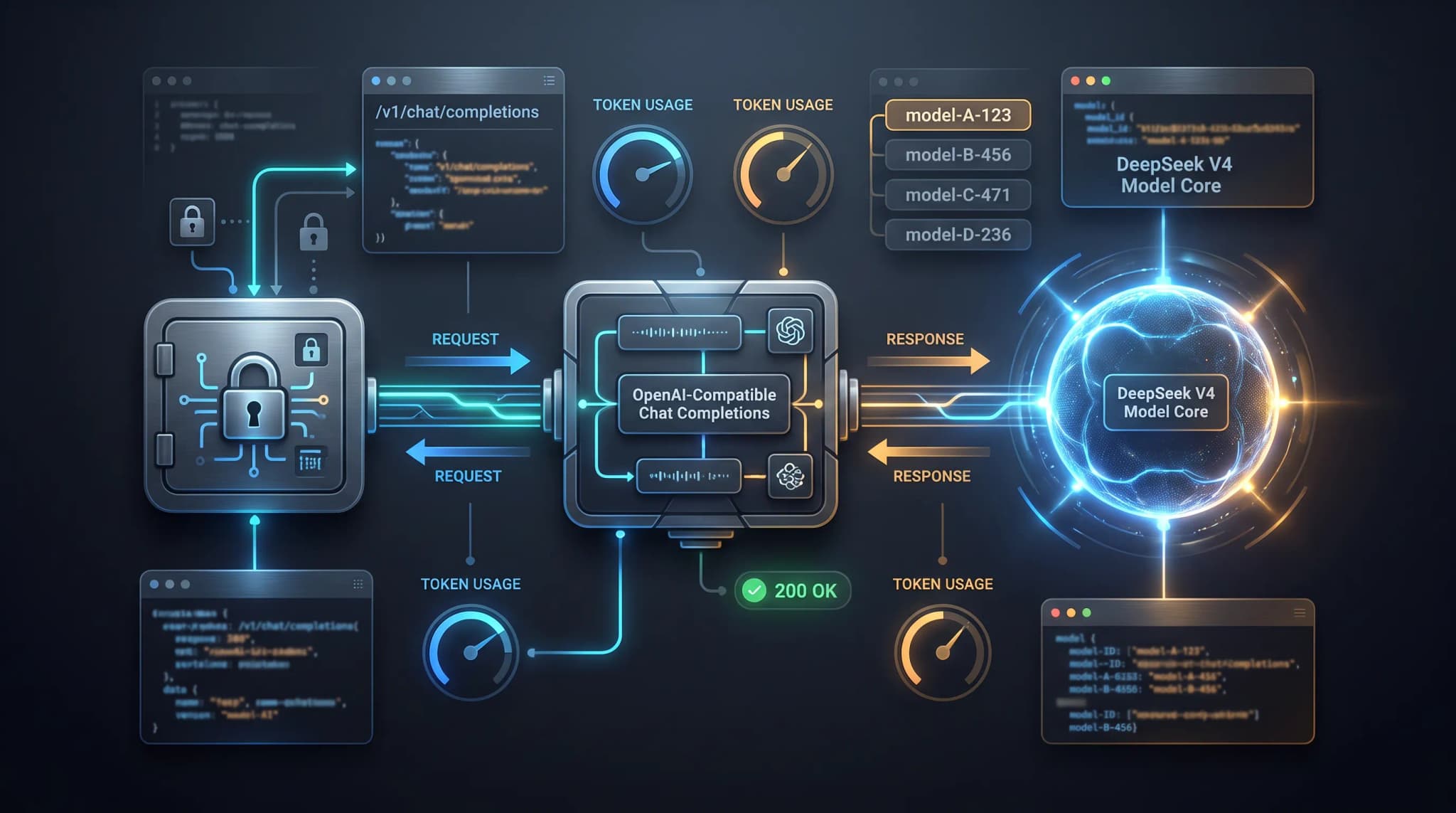
A DeepSeek V4 API key is only useful when the credential, endpoint, model
ID, and request body all point to the same API route. A key can be valid while
the request still fails because an application uses the provider URL with an
OurToken key, sends deepseek-v4-pro to the wrong path, or configures an SDK
with the full operation URL instead of the base URL.
This guide shows a practical DeepSeek V4 API setup through OurToken. It covers how to store the key, the current DeepSeek V4 API endpoint, the exact model ID, a cURL smoke test, a Python example using the OpenAI SDK, usage accounting, cost estimation, and the checks required before production traffic. The main route used here is:
https://api.ourtoken.ai/v1/chat/completions
OurToken and the official DeepSeek platform both expose an OpenAI-compatible Chat Completions shape, but their base URLs and credentials are different. That separation is the most important detail in this setup.
Verification status: This article is documentation-verified against the public OurToken DeepSeek V4 Pro page and the official DeepSeek API quickstart. The examples have not been executed with a live OurToken API key in this draft. Run the minimal request with your own key and inspect the response before enabling optional fields or production traffic.
DeepSeek V4 API Setup at a Glance
For the primary example, use the DeepSeek V4 Pro route on OurToken. The current DeepSeek V4 Pro API page lists the route, model ID, request fields, and current prices. Keep these values in configuration rather than scattering them across application code.
| Setting | OurToken value | Why it matters |
|---|---|---|
| API key | OURTOKEN_API_KEY | Authenticates the request |
| SDK base URL | https://api.ourtoken.ai/v1 | The URL passed to an OpenAI-compatible client |
| Full API endpoint | https://api.ourtoken.ai/v1/chat/completions | The URL used by cURL or a raw HTTP client |
| Model ID | deepseek-v4-pro | Selects the DeepSeek V4 Pro route |
| Required body fields | model, messages | Identifies the model and conversation |
| Output limit | max_tokens | Caps generated output for predictable tests |
The distinction between the SDK base URL and the full endpoint is easy to
miss. An OpenAI-compatible Python client appends /chat/completions for the
chat method, so its base_url should end at /v1. A raw cURL request does not
append anything; it should use the complete /v1/chat/completions URL.
Pro and Flash model IDs
OurToken currently exposes two DeepSeek V4 routes that can be useful for different workloads:
| Route | Model ID | Typical starting point |
|---|---|---|
| DeepSeek V4 Pro | deepseek-v4-pro | Code review, complex reasoning, and higher-quality application tasks |
| DeepSeek V4 Flash | deepseek-v4-flash | Lower-cost experiments, summarization, and higher-volume prompts |
These are model IDs, not website slugs. Do not copy a catalog path such as
deepseek/deepseek-v4-pro into the JSON model field unless the API page
explicitly shows that value. For this article, every request uses the exact
OurToken value deepseek-v4-pro.
The official DeepSeek documentation also lists deepseek-v4-pro and
deepseek-v4-flash in its current OpenAI-compatible quickstart. That does not
make the official key and OurToken key interchangeable. A provider key must be
sent to the provider endpoint that issued it.
OurToken and official DeepSeek routes are separate
Use this table when comparing examples from different documentation sites:
| Route | Base URL | Full Chat Completions URL | Credential |
|---|---|---|---|
| OurToken | https://api.ourtoken.ai/v1 | https://api.ourtoken.ai/v1/chat/completions | OurToken API key |
| Official DeepSeek | https://api.deepseek.com | https://api.deepseek.com/chat/completions | Official DeepSeek API key |
The official DeepSeek Chat Completion reference is useful for understanding the general request shape and optional fields. For an OurToken integration, however, the live OurToken model page is the compatibility boundary. Check it before copying a provider-specific parameter, price, or capability into an application.
Get and Test a DeepSeek V4 API Key
An API key authenticates programmatic access. It is not a model ID, a website login, or a browser session. For the OurToken route, open the OurToken API Keys page, create or select a key, and keep it server-side. The protected page may ask you to sign in before key management is available.
Use an environment variable during local development:
On macOS or Linux:
export OURTOKEN_API_KEY="paste-your-key-locally"
On Windows PowerShell:
$env:OURTOKEN_API_KEY = "paste-your-key-locally"
The variable name is an application convention. The HTTP request sends the secret in the standard header:
Authorization: Bearer YOUR_API_KEY
Do not put the key in frontend JavaScript, a mobile app bundle, a public Git repository, a screenshot, or a blog post. If a debugging command prints the full credential, revoke or rotate it before continuing. Logs should record a request ID, status code, model ID, latency, and redacted usage data rather than the authorization header.
Configuration checklist.
Before sending the first request, confirm these values independently:
- The credential begins in the OurToken dashboard and is stored in
OURTOKEN_API_KEY. - The cURL URL is
https://api.ourtoken.ai/v1/chat/completions. - The SDK base URL, if using Python, is
https://api.ourtoken.ai/v1. - The JSON model value is exactly
deepseek-v4-pro. - The body contains
messagesas an array, not a single string. - The initial
max_tokensvalue is small enough for a fast smoke test.
A key check alone does not prove that the model route, parameter names, quota, or application retry policy are correct. The first test should use one short user message and no optional tools, images, structured output, or provider- specific reasoning controls.
cURL smoke test
The following is a minimal non-streaming request through OurToken. It uses the full endpoint because cURL does not construct the operation path for you.
curl -sS https://api.ourtoken.ai/v1/chat/completions \
  -H "Content-Type: application/json" \
  -H "Authorization: Bearer ${OURTOKEN_API_KEY}" \
  -d '{
    "model": "deepseek-v4-pro",
    "messages": [
      {
        "role": "user",
        "content": "Give me a three-step checklist for reviewing a database migration."
      }
    ],
    "max_tokens": 256
  }'
The request deliberately leaves out optional settings. Once this succeeds,
add one change at a time: temperature, top_p, stream, tools, or a
structured response format. If a new field causes a 400 response, remove that
field and compare it with the current OurToken model reference instead of
assuming that every field from the official DeepSeek API is supported by every
compatibility layer.
DeepSeek V4's official Thinking Mode guide notes that Thinking Mode defaults to
enabled and that temperature and top_p do not affect output in that mode.
Treat them as conditional parameters: use them only when the selected route and
mode support them, and verify the behavior on the live OurToken model page.
PowerShell version.
PowerShell users can build the JSON body as an object. This avoids the quoting problems that occur when a JSON string contains nested double quotes:
$payload = @{
  model = "deepseek-v4-pro"
  messages = @(
    @{
      role = "user"
      content = "Give me a three-step checklist for reviewing a database migration."
    }
  )
  max_tokens = 256
} | ConvertTo-Json -Depth 5

curl.exe "https://api.ourtoken.ai/v1/chat/completions" `
  -H "Content-Type: application/json" `
  -H "Authorization: Bearer $env:OURTOKEN_API_KEY" `
  --data-raw $payload
What a successful response should contain.
Do not depend on the exact generated wording. For a non-streaming Chat Completions response, inspect the structural fields instead:
{
  "id": "chatcmpl-redacted",
  "object": "chat.completion",
  "model": "deepseek-v4-pro",
  "choices": [
    {
      "index": 0,
      "message": {
        "role": "assistant",
        "content": "1. Review the schema changes.\n2. Test rollback.\n3. Validate production impact."
      },
      "finish_reason": "stop"
    }
  ],
  "usage": {
    "prompt_tokens": 30,
    "completion_tokens": 24,
    "total_tokens": 54
  }
}
This is an illustrative response shape, not a live response captured from an
OurToken account. The current OurToken model documentation uses
prompt_tokens, completion_tokens, and total_tokens for usage. When cache
details are returned, prompt_tokens_details.cached_tokens is a breakdown of
the input total; do not add cached tokens on top of the full prompt count when
estimating cost.
Common cURL mistakes.
| Symptom | Likely cause | Fix |
|---|---|---|
401 Unauthorized | Missing, expired, or wrong-provider key | Check OURTOKEN_API_KEY and use the OurToken key with the OurToken URL |
404 Not Found | Wrong path or model value | Use /v1/chat/completions and deepseek-v4-pro |
400 for an invalid body | Malformed JSON or missing messages | Validate the JSON and send an array of role/content messages |
400 after adding an option | The route does not accept that optional field | Remove it, then verify support on the live model page |
429 Too Many Requests | Rate limit or account capacity | Slow down, use bounded backoff, and avoid unlimited retries |
| Empty or partial output | Output cap or context limit was reached | Inspect finish_reason, lower prompt size, or adjust max_tokens |
Do not retry a 400, 401, or 404 unchanged. Those responses indicate a configuration or request problem, not a transient provider failure.
DeepSeek V4 Python API Usage
The official OpenAI Python library can be configured with a compatible base URL. Install it in the environment where the application runs:
python -m pip install --upgrade openai
Then create a client with the OurToken base URL. The base URL ends at /v1;
the SDK adds the Chat Completions operation when you call
client.chat.completions.create.
import os

from openai import OpenAI


client = OpenAI(
    api_key=os.environ["OURTOKEN_API_KEY"],
    base_url="https://api.ourtoken.ai/v1",
)

response = client.chat.completions.create(
    model="deepseek-v4-pro",
    messages=[
        {
            "role": "system",
            "content": "You are a concise software engineering assistant.",
        },
        {
            "role": "user",
            "content": "List the checks for a safe database migration.",
        },
    ],
    max_tokens=256,
)

print(response.choices[0].message.content)

if response.usage:
    usage = response.usage
    cached_details = getattr(usage, "prompt_tokens_details", None)
    print(
        {
            "prompt_tokens": usage.prompt_tokens,
            "completion_tokens": usage.completion_tokens,
            "total_tokens": usage.total_tokens,
            "cached_tokens": getattr(cached_details, "cached_tokens", 0),
        }
    )
The code uses the field names currently documented by the OurToken route. Do
not rename them to input_tokens or output_tokens without an explicit
conversion layer. Provider SDKs may expose different aliases, while the
compatibility response can still use prompt_tokens and completion_tokens.
Keep the first Python request deterministic.
For a smoke test, keep the input short and the output cap low. Avoid adding a large repository prompt before you know that authentication and routing work. The following checks are more useful than simply printing a successful string:
assert response.model == "deepseek-v4-pro"
assert response.choices
assert response.choices[0].message.role == "assistant"
assert response.choices[0].message.content is not None
In an application, replace assertions with structured error handling and telemetry. The test should fail loudly if a proxy returns a different model or if a gateway returns an empty message.
Multi-turn and optional fields
Chat Completions is state-light: your application sends the conversation history on each request. A basic second turn looks like this:
messages = [
    {"role": "system", "content": "You are a concise software engineering assistant."},
    {"role": "user", "content": "What should I verify before a migration?"},
]

first = client.chat.completions.create(
    model="deepseek-v4-pro",
    messages=messages,
    max_tokens=256,
)

messages.append(first.choices[0].message)
messages.append(
    {
        "role": "user",
        "content": "Now turn that into a release checklist.",
    }
)

second = client.chat.completions.create(
    model="deepseek-v4-pro",
    messages=messages,
    max_tokens=256,
)

print(second.choices[0].message.content)
This example is intentionally limited to plain-text turns. DeepSeek V4 Thinking
Mode defaults to enabled; when a turn has no tool call, its reasoning_content
may be omitted from the next request. When a turn does use tools, preserve the
complete assistant message, including reasoning_content and tool_calls, on
every subsequent request. The official Thinking Mode guide
and multi-round conversation guide
describe these rules. The OurToken tool-calling guide
covers the broader compatibility concerns.
From a Smoke Test to a Production Integration
A first response proves only that one request passed. A production integration also needs secret management, timeout behavior, usage accounting, cost limits, and a clear fallback when the selected route is unavailable.
Request architecture.
Keep the API key on a server or trusted worker. A browser should call your application backend, not expose the OurToken credential directly.
User or internal service
          |
          | application request
          v
Your backend / job worker
          |
          | Authorization: Bearer OURTOKEN_API_KEY
          v
https://api.ourtoken.ai/v1/chat/completions
          |
          | model = deepseek-v4-pro
          v
DeepSeek V4 Pro route
          |
          v
Assistant response + usage data
          |
          v
Redacted logs, budget checks, and application output
The backend should own the model allowlist. Do not accept an arbitrary model string from an untrusted client and pass it directly to the gateway. If your application supports both Pro and Flash, map a safe application choice to a known model ID:
MODEL_IDS = {
    "quality": "deepseek-v4-pro",
    "economy": "deepseek-v4-flash",
}


def resolve_model(name: str) -> str:
    try:
        return MODEL_IDS[name]
    except KeyError as exc:
        raise ValueError("Unsupported model selection") from exc
For a larger application that uses several providers, the OurToken model routing guide explains how to separate simple requests from complex ones instead of sending every task to the most expensive route.
A realistic code-review workflow.
DeepSeek V4 Pro is a reasonable candidate for a code-review assistant when the application needs repository conventions, a patch, test output, and a request for actionable findings in one response. A safe workflow is:
- Store a short, stable system instruction on the server.
- Add only the relevant diff and test output to the user message.
- Set a bounded
max_tokensvalue for the review response. - Require a predictable output structure in the prompt before adding schema enforcement.
- Save the model ID, request status, token usage, and latency for review.
- Let a human approve changes before any tool can modify a repository.
Do not treat model output as a trusted patch. Validate file paths, commands, and structured fields in application code. If you later add tool calling, test argument validation and duplicate execution separately from the basic chat request.
Cost, caching, and reliability
Long system prompts, repository instructions, or policy blocks may repeat over many requests. The OpenAI-compatible prompt caching guide describes the engineering pattern: keep stable prefixes unchanged and measure whether the route actually returns cached usage.
Caching is a billing classification, not a reduction in the number of tokens
your application sends. When a usage object includes a cached-token breakdown,
do not calculate cost by charging the full prompt_tokens value at the normal
input rate and then charging cached_tokens again. Split the input total once:
uncached_input_tokens = prompt_tokens - cached_tokens

estimated_cost =
  uncached_input_tokens * input_rate
  + cached_tokens * cache_read_rate
  + completion_tokens * output_rate
Clamp the uncached value at zero if a provider returns inconsistent telemetry, and log the raw usage object for investigation. Do not assume that repeated text is cached on every request; use the returned usage fields and the current model page as the source of truth.
DeepSeek V4 API cost example.
The following is a dated example based on the current OurToken model pages checked on July 20, 2026. Prices can change, so confirm the live DeepSeek V4 Pro pricing and model configuration before committing to a budget.
| Route | Input | Output | Cache read | Cache write |
|---|---|---|---|---|
| DeepSeek V4 Pro | $0.3480 / 1M tokens | $0.6960 / 1M tokens | $0.0030 / 1M tokens | $0 / 1M tokens |
| DeepSeek V4 Flash | $0.1120 / 1M tokens | $0.2240 / 1M tokens | $0.0020 / 1M tokens | $0 / 1M tokens |
For 100,000 uncached input tokens and 10,000 output tokens on Pro:
Input:  100,000 / 1,000,000 * $0.3480 = $0.03480
Output:  10,000 / 1,000,000 * $0.6960 = $0.00696
Total:                                = $0.04176
For a repeated-context request with 80,000 cached input tokens, 20,000 uncached input tokens, and 10,000 output tokens:
Uncached input: 20,000 / 1,000,000 * $0.3480 = $0.00696
Cached input:   80,000 / 1,000,000 * $0.0030 = $0.00024
Output:         10,000 / 1,000,000 * $0.6960 = $0.00696
Total:                                         = $0.01416
The second calculation assumes that the route reports 80,000 cached tokens and bills them at the listed cache-read rate. It does not claim that every repeated prompt receives a cache hit. In production, compare estimated cost with the usage record and include retries, failed requests, concurrency, and any non-token charges in the operating budget.
Retry and timeout policy.
Use bounded retries only for failures that may recover. A simple policy is:
| Status | Retry by default? | Action |
|---|---|---|
| 400 | No | Fix the request body or remove an unsupported field |
| 401 | No | Replace or reconfigure the credential |
| 404 | No | Check the base URL, endpoint, and model ID |
| 429 | Yes, bounded | Back off and respect account limits |
| 500-599 | Yes, bounded | Retry with a timeout and a maximum attempt count |
| Network timeout | Conditional | Retry only when duplicate execution is safe |
Retries can duplicate a model request after a client-side timeout. For chat only, that may be acceptable; for tool calls or workflows with side effects, use an idempotency strategy in your application and require confirmation before executing external actions.
Release checklist.
Before using a DeepSeek V4 API key with real users, verify the following:
- The key is available only to a server process or protected worker.
- cURL succeeds against
https://api.ourtoken.ai/v1/chat/completions. - The request uses
deepseek-v4-pro, not a website slug or display label. - The Python SDK uses
base_url="https://api.ourtoken.ai/v1". - The response model and choice role are validated.
- Usage records use
prompt_tokens,completion_tokens, andtotal_tokensas documented by the current route. - Cached tokens are not counted twice in cost calculations.
- 400, 401, 404, 429, timeout, and 5xx behavior is tested.
- Prompts and responses are redacted before entering application logs.
- Optional reasoning, tools, streaming, or structured output are enabled one at a time and verified on the live model route.
Conclusion and Frequently Asked Questions
The reliable DeepSeek V4 API setup is compact: create an OurToken key, set
https://api.ourtoken.ai/v1 as the SDK base URL, call
/chat/completions, and send the exact deepseek-v4-pro model ID. Start with
the short cURL request, repeat it in Python, inspect the response usage, and
only then add larger prompts, caching, streaming, or tools.
When you are ready to test the integration with a real credential, review the DeepSeek V4 Pro API configuration and create a key through the OurToken API Keys page. Keep the credential server-side and compare real usage with the dated pricing example before moving from a smoke test to production traffic.
FAQ
What is the DeepSeek V4 API endpoint on OurToken?
The current full endpoint is
https://api.ourtoken.ai/v1/chat/completions. For the OpenAI Python SDK,
set base_url to https://api.ourtoken.ai/v1 and call
client.chat.completions.create.
What is the DeepSeek V4 model ID?
For the Pro route, use deepseek-v4-pro. OurToken also lists
deepseek-v4-flash for the Flash route. Use the exact model ID shown on the
selected model page; do not send deepseek/deepseek-v4-pro as the API model
value.
Can I use the official DeepSeek API key with OurToken?
No. An API key belongs to the provider that issued it. Use an OurToken key with
api.ourtoken.ai and an official DeepSeek key with api.deepseek.com.
Can I use the OpenAI Python SDK for DeepSeek V4?
Yes. Install the openai package, set the OurToken base URL, read the key from
OURTOKEN_API_KEY, and call the Chat Completions method with
model="deepseek-v4-pro".
Which usage fields should I read in Python?
The current OurToken route documents prompt_tokens, completion_tokens,
and total_tokens. It may also return cached-token details under
prompt_tokens_details. Treat cached tokens as a breakdown of the prompt
total, not an additional full input quantity.
Should I start with DeepSeek V4 Pro or Flash?
Start with Pro when response quality for complex code or reasoning is the priority. Test Flash when the workload is more cost-sensitive or high-volume. Use representative prompts, latency, error rate, output quality, and real usage—not the model name alone—to make the final routing decision