Claude Opus 4.7 API Key Setup: Endpoint, Model ID, Pricing, and Python Example
Set up a Claude Opus 4.7 API key with OurToken. Copy the exact Messages API endpoint, model ID, cURL request, Python example, pricing table with 60% savings, and troubleshooting checklist.
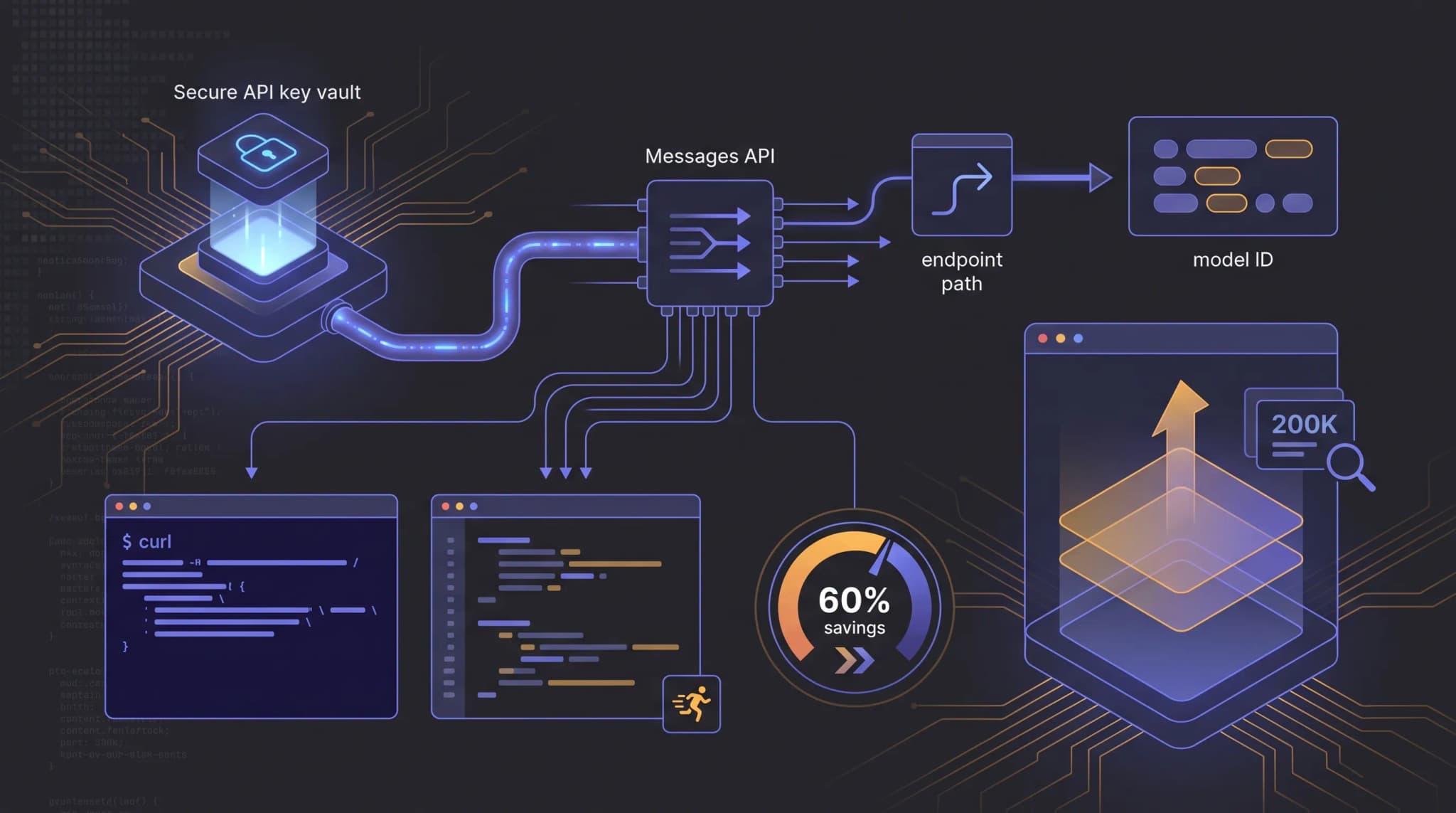
A Claude Opus 4.7 API key is useful only when the key, endpoint, model ID, request body, and response parser all match the route you are calling. A valid key can still fail if the application sends it to /chat/completions, uses a catalog path instead of the API model ID, or parses the response as an OpenAI choices object.
This guide focuses on the OurToken route for Claude Opus 4.7. It shows how to get an API key, copy the exact base URL and full endpoint, send a cURL request, call the same endpoint from Python, calculate token cost, and troubleshoot common 401, 404, model_not_found, and Messages API parsing errors. It is intentionally not a generic Claude overview — the goal is to get one real request working through the current Claude Opus 4.7 API page.
The current OurToken model page lists Claude Opus 4.7 as a Messages API route with a 200K context window, up to 32K output tokens, vision support, function calling, extended thinking support, and this configuration:
Base URL:     https://api.ourtoken.ai/v1
Full URL:     https://api.ourtoken.ai/v1/messages
Model ID:     claude-opus-4-7
Auth header:  Authorization: Bearer YOUR_API_KEY
The request and response shape follows the Anthropic Messages API reference, while authentication follows the OurToken model page: Authorization: Bearer YOUR_API_KEY. Do not assume Anthropic-native x-api-key headers are accepted unless you verify that route with a live OurToken key.
Verification status: This article was checked against the public OurToken Claude Opus 4.7 model page and the Anthropic Messages API reference on 2026-08-18. The examples are documentation-verified and require your own OurToken API key for live execution.
Claude Opus 4.7 API Key Setup
The setup has three separate values. Keep them separate in your configuration so a future model change does not require editing every request call.
Exact values to copy
| Setting | Current value | Why it matters |
|---|---|---|
| API key source | OurToken API Keys | Creates the Bearer credential used by the gateway |
| SDK base URL | https://api.ourtoken.ai/v1 | Root URL passed to a client or config file |
| Full endpoint | https://api.ourtoken.ai/v1/messages | URL for raw HTTP requests |
| Model ID | claude-opus-4-7 | Selects Claude Opus 4.7 |
| Required body fields | model, messages, max_tokens | Minimum Messages API request |
| Optional body fields | system, temperature, top_p, top_k, stream, stop_sequences, tools, tool_choice, thinking, metadata | Supported parameters listed on the model page |
| Response text path | content[].text | Messages API response parser |
| Usage fields | usage.input_tokens, usage.output_tokens, usage.cache_creation_input_tokens, usage.cache_read_input_tokens | Token counts for cost calculation |
Create the credential from the OurToken API Keys page, then store it in a server-side environment variable. The API Keys page may redirect to login before you can manage credentials.
On macOS or Linux:
export OURTOKEN_API_KEY="paste-your-key-locally"
On Windows PowerShell:
$env:OURTOKEN_API_KEY = "paste-your-key-locally"
Do not paste the key into frontend JavaScript, a public repository, a shared notebook, a screenshot, or a bug report. Treat the key like a production password.
Do not use these model names
| Wrong value | Why it fails |
|---|---|
Claude Opus 4.7 | Display name, not API ID |
claude-opus-4.7 | Dot instead of hyphen |
anthropic/claude-opus-4-7 | Catalog-style path, not current API model ID |
claude-4-7-opus | Reordered model name |
claude-opus-4-7-latest | Not listed on the current OurToken page |
The exact model ID is claude-opus-4-7. If you see model_not_found, check this value first before changing code.
Endpoint, Model ID, and First Request
Claude Opus 4.7 on OurToken uses the Anthropic Messages API format, not the OpenAI Chat Completions format. The endpoint is /v1/messages, the response contains a content array of blocks, and max_tokens is required on every request. If you are migrating from an OpenAI-compatible route, the main differences are the endpoint path, the response parser, and the usage field names.
cURL smoke test
Start with a minimal request to verify the endpoint, key, and model ID before adding complexity:
curl https://api.ourtoken.ai/v1/messages \
  -H "Authorization: Bearer $OURTOKEN_API_KEY" \
  -H "Content-Type: application/json" \
  -d '{
    "model": "claude-opus-4-7",
    "messages": [
      {"role": "user", "content": "Explain sparse attention in one sentence."}
    ],
    "max_tokens": 256
  }'
If the request succeeds, the response follows the Anthropic Messages API shape:
{
  "id": "msg_...",
  "type": "message",
  "role": "assistant",
  "model": "claude-opus-4-7",
  "content": [
    {
      "type": "text",
      "text": "Sparse attention selectively computes attention scores for a subset of token pairs, reducing the quadratic cost of full self-attention while preserving long-range dependencies."
    }
  ],
  "stop_reason": "end_turn",
  "usage": {
    "input_tokens": 16,
    "output_tokens": 35,
    "cache_creation_input_tokens": 0,
    "cache_read_input_tokens": 0
  }
}
The response text is in content[0].text, not in choices[0].message.content. The usage object uses input_tokens and output_tokens, not prompt_tokens and completion_tokens. Mixing these up is the most common integration error.
Python example with httpx
Use httpx for a raw HTTP client that gives you full control over headers, timeouts, and response parsing:
import os
import httpx

API_KEY = os.environ["OURTOKEN_API_KEY"]
ENDPOINT = "https://api.ourtoken.ai/v1/messages"

response = httpx.post(
    ENDPOINT,
    headers={
        "Authorization": f"Bearer {API_KEY}",
        "Content-Type": "application/json",
    },
    json={
        "model": "claude-opus-4-7",
        "system": "You are a concise technical assistant.",
        "messages": [
            {"role": "user", "content": "What is Claude Opus 4.7 best at in one sentence?"},
        ],
        "max_tokens": 256,
        "temperature": 0.7,
    },
    timeout=60.0,
)

response.raise_for_status()
data = response.json()

content = data["content"][0]["text"]
usage = data["usage"]

print(content)
print(f"input_tokens: {usage['input_tokens']}")
print(f"output_tokens: {usage['output_tokens']}")
Multi-turn conversation
For multi-turn chat, append the assistant response to the messages array and send the next user message. The Messages API requires the full conversation history on each request:
messages = [
    {"role": "user", "content": "What is extended thinking?"},
]

# First turn
response = httpx.post(
    ENDPOINT,
    headers={
        "Authorization": f"Bearer {API_KEY}",
        "Content-Type": "application/json",
    },
    json={"model": "claude-opus-4-7", "messages": messages, "max_tokens": 256},
    timeout=60.0,
)
first = response.json()
assistant_text = first["content"][0]["text"]

# Append and continue
messages.append({"role": "assistant", "content": assistant_text})
messages.append({"role": "user", "content": "How does that affect cost?"})

# Second turn
response2 = httpx.post(
    ENDPOINT,
    headers={
        "Authorization": f"Bearer {API_KEY}",
        "Content-Type": "application/json",
    },
    json={"model": "claude-opus-4-7", "messages": messages, "max_tokens": 256},
    timeout=60.0,
)
second = response2.json()
print(second["content"][0]["text"])
When the conversation includes tool calls, preserve the full assistant content array including tool_use blocks and any tool_result messages. Do not reconstruct the assistant message manually — append the complete content blocks returned by the API.
When to choose Opus 4.7 over 4.8
OurToken also offers Claude Opus 4.8 with the same Messages API format and identical pricing. If both routes are available to your account, the practical question is which model fits your workload. Claude Opus 4.7 is positioned by Anthropic for complex reasoning, advanced coding, and deep research. If your team has already validated 4.7 on specific tasks — codebase analysis, multi-step reasoning, or document-heavy evaluation — keeping that route avoids re-testing. If you are starting fresh, benchmark both on your own evaluation set and compare quality, latency, and cost per successful task before committing.
Pricing, Cached Tokens, and Cost Calculation
The OurToken model page lists explicit pricing for Claude Opus 4.7 alongside official Anthropic reference prices. The page title states "40% of official price" — you pay 40% of what Anthropic charges, which is a 60% savings.
Pricing table
| Token type | OurToken price (per 1M) | Official reference (per 1M) | Savings |
|---|---|---|---|
| Input | $2.00 | $5.00 | 60% |
| Output | $10.00 | $25.00 | 60% |
| Cached input | $0.20 | $0.50 | 60% |
| Cache writes | $2.50 | $6.25 | 60% |
All prices are per 1,000,000 tokens. Always confirm current pricing on the Claude Opus 4.7 API page before production rollout.
Cost formula
The Messages API usage object separates input_tokens (uncached input), cache_creation_input_tokens (tokens written to cache at the cache-write rate), and cache_read_input_tokens (tokens served from cache at the cached-input rate). Each category has a different price:
input_cost       = usage.input_tokens / 1,000,000 × $2.00
cache_write_cost = usage.cache_creation_input_tokens / 1,000,000 × $2.50
cache_read_cost  = usage.cache_read_input_tokens / 1,000,000 × $0.20
output_cost      = usage.output_tokens / 1,000,000 × $10.00
total_cost       = input_cost + cache_write_cost + cache_read_cost + output_cost
Python cost helper
RATES = {
    "input": 2.00,
    "output": 10.00,
    "cached_input": 0.20,
    "cache_write": 2.50,
}


def estimate_cost_usd(usage: dict) -> float:
    return round(
        usage.get("input_tokens", 0) / 1_000_000 * RATES["input"]
        + usage.get("cache_read_input_tokens", 0) / 1_000_000 * RATES["cached_input"]
        + usage.get("cache_creation_input_tokens", 0) / 1_000_000 * RATES["cache_write"]
        + usage.get("output_tokens", 0) / 1_000_000 * RATES["output"],
        8,
    )
Use dated rates in code only for reporting snapshots or local experiments. A billing dashboard should pull current prices from your own accounting source or be updated whenever the live model page changes.
Worked example
A request with 80,000 uncached input tokens, 20,000 cache-write tokens, 40,000 cache-read tokens, and 4,000 output tokens costs:
input_cost       = 80,000 / 1,000,000 × $2.00  = $0.160000
cache_write_cost = 20,000 / 1,000,000 × $2.50  = $0.050000
cache_read_cost  = 40,000 / 1,000,000 × $0.20   = $0.008000
output_cost      = 4,000 / 1,000,000 × $10.00   = $0.040000
total_cost       = $0.258000
At the official Anthropic reference price, the same workload would cost $0.645000. The OurToken route saves 60% on every token category.
If your application sends a large fixed system prompt on every request, caching can reduce input cost significantly. The cache-read rate ($0.20/M) is one-tenth of the uncached input rate ($2.00/M), so prompts with high prefix repetition benefit most. Review the OpenAI-compatible prompt caching guide to understand how caching works across model routes, then measure cache_read_input_tokens in your usage logs to confirm the savings.
Troubleshooting and Production Checklist
Common errors
| Symptom | Likely cause | Fix |
|---|---|---|
401 Unauthorized | Missing key, wrong key, or wrong auth header | Use Authorization: Bearer YOUR_API_KEY with an OurToken key |
404 Not Found | Wrong path | Use https://api.ourtoken.ai/v1/messages |
model_not_found | Wrong model ID | Use claude-opus-4-7 exactly |
400 max_tokens | Required field omitted | Add max_tokens to every request |
400 system role | System prompt sent as a message | Put system at the top level, not in messages |
Empty choices | Wrong response parser | Read content[].text, not choices[] |
| Timeout | Prompt too large or network issue | Start with a short prompt; use bounded retries |
429 | Rate limit or account capacity | Back off with jitter and cap retry attempts |
Do not retry malformed requests unchanged. Retry helps with transient failures such as 429, 529, some 5xx errors, and network timeouts. It does not repair a bad endpoint, bad model ID, or missing max_tokens field.
Production checklist
[ ] API key is stored server-side only
[ ] Raw cURL request works before SDK integration
[ ] Base URL is https://api.ourtoken.ai/v1
[ ] Full endpoint is /v1/messages
[ ] Model ID is claude-opus-4-7
[ ] max_tokens is set on every request
[ ] Parser reads content blocks, not choices
[ ] Usage and cost are logged per feature
[ ] 400/401/404 are not retried blindly
[ ] 429/529/5xx retries are bounded with jitter
[ ] Prompts and Authorization headers are redacted in logs
A strong production rollout starts with one small use case. For example, a code-review assistant can send a diff, test output, and a concise review policy, then ask Claude Opus 4.7 for risks and suggested checks. With a 200K context window, the route can handle larger code or document context, but that also makes token logging mandatory. Large prompts can be useful; invisible large prompts are just quiet budget leaks.
For teams using multiple routes, keep model selection on the server. A client should not be allowed to send arbitrary model IDs. Start with one Claude Opus 4.7 route, measure cost per successful task, then decide whether simpler work should move to a lower-cost model from the OurToken model directory. If your traffic includes both simple and complex queries, consider an LLM model routing strategy that sends each query to the most cost-effective model.
Conclusion and FAQ
A working Claude Opus 4.7 setup on OurToken is compact: create an API key, call https://api.ourtoken.ai/v1/messages, send Authorization: Bearer YOUR_API_KEY, set model to claude-opus-4-7, include max_tokens, and parse the Messages API content array. Start with cURL, repeat the same request in Python, then add streaming, tools, or long-context prompts after the basic request succeeds.
When you are ready to test live traffic, create or manage a credential through OurToken API Keys, confirm the current endpoint and pricing on the Claude Opus 4.7 API page, and use OurToken Docs for broader integration guides.
FAQ
How do I get a Claude Opus 4.7 API key?
Create an OurToken account and generate a key from the OurToken API Keys page. Use that key with Authorization: Bearer when calling api.ourtoken.ai.
What is the Claude Opus 4.7 API endpoint?
The current full endpoint is https://api.ourtoken.ai/v1/messages. The base URL is https://api.ourtoken.ai/v1.
What is the Claude Opus 4.7 model ID?
Use claude-opus-4-7. Do not use the display name, a dotted version, or a catalog-style path.
Can I use a free Claude Opus 4.7 API key?
Do not assume a permanent free tier. Check the current OurToken dashboard or promotions for any account credits, then budget using the live model page.
Can I use the OpenAI Python SDK?
Not for the recommended Claude Opus 4.7 Messages API route. Use raw HTTP with httpx, or verify another SDK path against a live key before production.
How much does Claude Opus 4.7 cost on OurToken?
The current pricing is $2.00 per 1M input tokens, $10.00 per 1M output tokens, $0.20 per 1M cached input tokens, and $2.50 per 1M cache-write tokens. This is 40% of the official Anthropic reference price. Always confirm on the live model page.
Why does my request return model_not_found?
The usual cause is a model string mismatch. Confirm the request body uses "model": "claude-opus-4-7" and that the route is available to your account.