Responses API Migration: A Practical Guide to Moving from Chat Completions and Assistants
Planning a responses api migration? Learn the safest path from Chat Completions and Assistants to Responses API, with code examples, architecture patterns, and rollback advice.
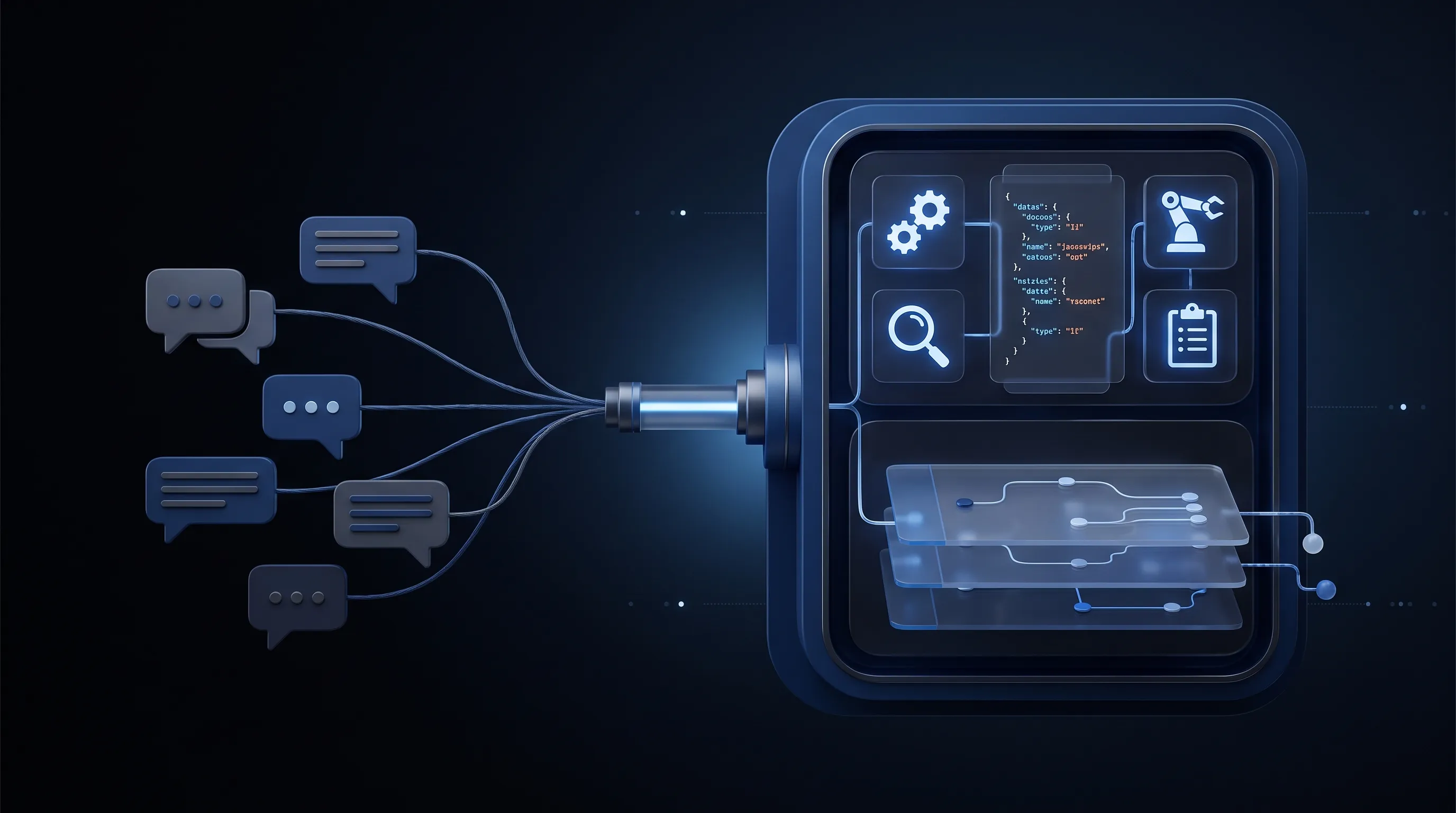
If your team is planning a responses api migration, the good news is that this is not a rewrite. In most production apps, it is an interface migration: you keep your prompts, most of your business logic, and most of your safety checks, then replace the API boundary where generation happens. The hard part is not syntax. The hard part is understanding which parts of your current stack should move first, which parts should stay put, and how to avoid breaking tools, conversation state, and typed outputs in the process.
As of July 1, 2026, OpenAI recommends the Responses API for new projects, while Chat Completions remains supported. The bigger forcing function is the Assistants API timeline: OpenAI’s migration guide says the Assistants API will shut down on August 26, 2026. That means teams still running Assistants need a concrete plan, while teams on Chat Completions should decide whether migrating now reduces future integration cost.
This guide covers the practical path: what changes between the APIs, how to migrate incrementally, what code to touch first, where cost and latency improve, and where you should deliberately avoid migrating yet.
Why Responses API Migration Is Happening Now
The Responses API is not just a renamed chat endpoint. OpenAI describes it as the new core interface for agentic applications, with built-in tools, stateful interactions, and multimodal inputs under one request model. That matters because many teams had already built those same capabilities themselves around Chat Completions or Assistants: tool orchestration loops, file retrieval, thread state, retry logic, and JSON validation glue.
The Platform Shift Is Structural, Not Cosmetic
In Chat Completions, the mental model is simple: send messages, get choices, parse a reply, then run your own loop if tools are involved. In Assistants, the platform handled more of that lifecycle for you with assistants, threads, runs, and run steps. In Responses, the model is flatter again, but more expressive: send input items, receive output items, attach built-in tools or your own functions, and manage ongoing state through stored responses or conversations.
That new shape matters for three reasons:
- It reduces glue code for tool-based applications.
- It gives newer features a single home instead of splitting them between old surfaces.
- It is where future platform investment is going.
If your app is still a plain prompt-in, text-out workflow, migration is optional. If your app is becoming more agentic every quarter, migration gets more attractive each month you postpone it.
The Deadline Is Real for Assistants Users
If you use Assistants today, this is not a theoretical roadmap issue. OpenAI’s Assistants migration guide states that the API is deprecated and will shut down on August 26, 2026. A shutdown date changes the migration question from “should we modernize?” to “how do we migrate without creating a production incident?”
That is why the best teams are not doing a one-day cutover. They are putting an adapter layer in front of model calls now, migrating low-risk traffic first, and keeping rollback controls until real traffic proves the new path.
What Actually Changes in a Responses API Migration
Most migration pain comes from thinking the change is bigger than it is, or smaller than it is.
It is smaller because your prompts, auth, retry policy, moderation policy, and product logic usually survive.
It is bigger because your request and response contract changes, and if you use tools or Assistants-style orchestration, your state model changes too.
Chat Completions vs Responses API
| Area | Chat Completions | Responses API | What it means in production |
|---|---|---|---|
| Input shape | messages array | input string or items/messages | Easier to support text, images, and richer item types |
| Output shape | choices[0].message.content | output_text and typed output items | Less brittle parsing for tool-heavy apps |
| Tool use | Mostly external loop | Built-in tools plus function calling | Fewer hand-rolled orchestration layers |
| Stateful turns | You resend messages | You can chain stored responses or use conversations | Lower state-management overhead |
| Multiple generations | n supported | n removed | Generate alternatives with separate calls |
| Future feature surface | Limited growth path | Primary path for new capabilities | Safer long-term integration target |
The difference that surprises teams most is the output model. In Chat Completions, many concerns are folded into one message-shaped result. In Responses, output is typed. That makes tool calls, tool outputs, and user-facing messages easier to reason about because they are not all squeezed into the same object.
Assistants vs Responses API
If you are coming from Assistants, the migration is more architectural:
| Before | After | Operational impact |
|---|---|---|
| Assistants | Prompts | Configuration becomes easier to version and review |
| Threads | Conversations | Conversation history becomes item-based rather than thread/run centric |
| Runs | Responses | The main execution unit is simpler |
| Run steps | Items | Tool calls and outputs become first-class objects |
This is usually good news for backend teams because it removes a lot of “poll a run, inspect steps, fetch latest message” workflow code.
The Smallest Useful Mapping Table
When teams get stuck, it is often because they need a tiny translation map, not a large migration document:
| Old concept | New concept |
|---|---|
messages | input |
system message | instructions or a top-level prompt configuration |
choices[0].message.content | response.output_text |
| Tool loop around model calls | Native tool-enabled response flow |
| Thread state | Stored responses or conversations |
That is the migration in one screen.
The Safest Responses API Migration Strategy
The mistake to avoid is migrating by endpoint instead of by workload. Your support bot, document assistant, code helper, and internal operations copilot do not all carry the same risk.
Start with the Lowest-Risk Workloads
Good first candidates:
- Internal admin tools with small traffic
- Single-turn generation endpoints
- JSON extraction tasks already covered by tests
- Support flows where a human reviews output before send
Bad first candidates:
- Revenue-critical user chat
- Long-running tool agents with weak observability
- Systems that already have fragile prompt behavior
- Multi-tenant workloads without request-level tracing
The first migration goal should be narrow: prove that your app can create a response, preserve output quality, and keep telemetry intact. Do not start by moving every tool, every prompt, and every thread migration at once.
Put an Adapter Between Your App and the SDK
The single highest-leverage change is adding one internal interface for model calls. If your controller code calls client.chat.completions.create(...) directly in twenty files, migration will feel large. If all model traffic goes through one gateway module, migration becomes a contained diff.
This adapter does four things:
- Accepts your app’s normalized request shape.
- Calls either Chat Completions or Responses behind a feature flag.
- Normalizes the returned text, tool events, and usage fields.
- Emits comparable logs so you can diff old vs new behavior.
That one move creates both migration speed and rollback safety.
Run Dual Paths Before Full Cutover
For medium-risk flows, the best pattern is shadow traffic:
- Primary path returns the current production result.
- Secondary path calls Responses in the background.
- You log latency, token usage, schema validity, and tool behavior.
- You compare outputs offline before exposing the new path to users.
This is especially valuable for structured output tasks. If your downstream system expects strict JSON, you can measure whether Responses plus Structured Outputs reduces invalid payloads before you commit to the switch.
A Minimal Responses API Migration in Code
Let’s start with the simplest case: a text generation route currently using Chat Completions.
Before: Chat Completions
import OpenAI from "openai";

const client = new OpenAI({ apiKey: process.env.OPENAI_API_KEY });

export async function summarizeTicket(ticketBody) {
  const completion = await client.chat.completions.create({
    model: "gpt-5.5",
    messages: [
      {
        role: "system",
        content: "Summarize the ticket and list the next best action."
      },
      {
        role: "user",
        content: ticketBody
      }
    ],
    temperature: 0.2
  });

  return completion.choices[0].message.content;
}
After: Responses API
import OpenAI from "openai";

const client = new OpenAI({ apiKey: process.env.OPENAI_API_KEY });

export async function summarizeTicket(ticketBody) {
  const response = await client.responses.create({
    model: "gpt-5.5",
    instructions: "Summarize the ticket and list the next best action.",
    input: ticketBody,
    temperature: 0.2
  });

  return response.output_text;
}
For a plain text route, that is often the real migration size. The app code still asks for a summary. The model still produces text. The main change is where system guidance lives and how the result is read.
The Adapter Version You Actually Want
In real systems, do not expose SDK objects to the rest of the app. Normalize them once:
import OpenAI from "openai";

const client = new OpenAI({ apiKey: process.env.OPENAI_API_KEY });

export async function generateText({
  model,
  instructions,
  input,
  useResponses = true
}) {
  if (useResponses) {
    const response = await client.responses.create({
      model,
      instructions,
      input
    });

    return {
      text: response.output_text,
      requestId: response.id,
      usage: response.usage
    };
  }

  const completion = await client.chat.completions.create({
    model,
    messages: [
      { role: "system", content: instructions },
      { role: "user", content: input }
    ]
  });

  return {
    text: completion.choices[0].message.content,
    requestId: completion.id,
    usage: completion.usage
  };
}
That small wrapper buys you A/B rollout, safer refactors, and easier support for multiple model backends over time. If you already proxy models through an API layer, keep this adapter at the edge of your model boundary, not scattered through feature code. A unified provider surface also keeps future routing decisions simpler; see the general implementation patterns in the OurToken docs.
Responses API Migration for Tools, State, and Structured Outputs
Text-only routes are easy. Production migrations get interesting when the model uses tools, carries state across turns, or must emit machine-readable output.
Tool Use Changes the Economics of Your Integration
OpenAI’s Responses documentation positions built-in tools as a first-class part of the API, not a side feature. That matters because many teams currently pay an engineering tax for tool orchestration:
- custom web retrieval wrappers
- file lookup layers
- function-call parsers
- step polling and replay logic
With Responses, more of that behavior can live inside one request model. The cost benefit is not only token-level. It is engineering-level: fewer moving parts, fewer polling loops, and fewer model-output parsers to maintain.
Here is a simple tool-enabled request:
from openai import OpenAI

client = OpenAI()

response = client.responses.create(
    model="gpt-5.5",
    tools=[{"type": "web_search"}],
    input="Summarize the latest official OpenAI guidance on migrating to the Responses API."
)

print(response.output_text)
If your current architecture wraps every model response with separate retrieval and decision loops, that is where migration can remove the most glue code.
Structured Outputs Usually Get Better, Not Harder
Many teams fear migration because they already have fragile JSON parsing. In practice, Responses can improve this part of the stack when you adopt Structured Outputs with JSON Schema instead of “please respond in JSON” prompting.
const response = await client.responses.create({
  model: "gpt-5.5",
  input: "Classify this support ticket and extract urgency.",
  text: {
    format: {
      type: "json_schema",
      name: "ticket_triage",
      strict: true,
      schema: {
        type: "object",
        properties: {
          category: {
            type: "string",
            enum: ["billing", "technical", "account", "other"]
          },
          urgency: {
            type: "string",
            enum: ["low", "medium", "high"]
          },
          summary: {
            type: "string"
          }
        },
        required: ["category", "urgency", "summary"],
        additionalProperties: false
      }
    }
  }
});
If your migration target includes structured extraction, test this early. It is one of the clearest places where the new interface can reduce retries and downstream validation failures.
State Management Should Be Intentional
Responses supports stateful interactions, but you should not migrate all history handling blindly. There are two sane patterns:
- Lightweight chaining for short-lived workflows
- Conversations for chat-style applications with durable ongoing state
The wrong pattern is stuffing every historical turn back into every request because “that is how Chat Completions worked.” A migration is a good time to separate what the model actually needs now from what your database needs for audit or analytics.
Architecture Diagram and Rollout Design
Below is a migration architecture that works well for most SaaS teams:
User Request
    |
    v
Application Route
    |
    v
Model Adapter -----------------------------------> Telemetry / Eval Logs
    |                                                     |
    |                                                     v
    |--------------------------------------------> Diff Dashboard
    |
    +---- Feature Flag: Chat Completions Path
    |
    +---- Feature Flag: Responses Path
                |
                v
        Tools / Structured Outputs / Conversation State
                |
                v
          Business System Response
The key design choice is the adapter, not the SDK call. Once every model request goes through a common adapter, you can:
- route 5% of traffic to Responses
- shadow 100% of traffic without user impact
- compare latency and schema-validity rates
- roll back instantly if a tool flow regresses
The Real Cost Analysis
Migration cost is usually discussed as token price. That is too narrow. The more useful cost model has four layers:
| Cost area | Before migration | After a good migration | Likely result |
|---|---|---|---|
| Integration code | Separate parsing and orchestration glue | One modern interface | Lower maintenance overhead |
| Tool loops | App-managed retries and step logic | More native request flow | Fewer edge-case bugs |
| Structured output failures | Invalid JSON retries | Schema-constrained output | Lower recovery cost |
| Context reuse | Manual history resend patterns | Better cache behavior and state options | Lower total request cost over time |
OpenAI’s migration guide also claims lower costs from improved cache utilization, with internal tests showing roughly 40% to 80% improvement compared with Chat Completions in some cases. You should treat that as platform guidance, not a guaranteed result for your workload. The correct engineering response is to measure it on your prompts, your state size, and your tool pattern before using it in a forecast.
A Good Rollback Plan Is Boring
The best rollback plan is simple enough that no one has to think during an incident:
- Keep the old adapter path alive during rollout.
- Add a per-route feature flag.
- Log model request IDs and schema failures.
- Roll back by config, not by emergency redeploy.
If rollback requires a same-day code patch, your migration is not ready for production traffic.
When You Should Not Migrate Yet
A responses api migration is a strong default for new agentic builds, but it is not mandatory for every endpoint today.
Stay on Chat Completions for Stable Plain-Text Flows
If an endpoint is:
- simple
- low-maintenance
- already well-tested
- not using tools
- not blocked by feature gaps
then there is no prize for moving it this week. Chat Completions remains supported. Teams waste time when they migrate stable code only to end up with the same behavior and no business benefit.
Do Not Mix Prompt Cleanup with API Migration
One of the easiest ways to create migration confusion is changing prompts and changing APIs in the same release. If output quality shifts, you will not know whether the regression came from the prompt rewrite or the transport rewrite.
Freeze prompt behavior first. Migrate the interface second. Optimize prompts third.
Avoid a Big-Bang Assistants Replacement
Assistants users should especially avoid replacing assistants, threads, prompts, tool behavior, and state persistence all in one sprint. Move new sessions first. Backfill old session history only where the product actually needs it. Not every historical thread deserves an expensive migration path.
Conclusion
The right way to think about a responses api migration is not “we need to rewrite our AI app.” It is “we need a cleaner execution boundary before our app becomes more agentic than our current integration can comfortably support.”
For Chat Completions users, the migration is usually incremental and optional in the short term. For Assistants users, the shutdown date on August 26, 2026 makes the work time-bound. In both cases, the winning strategy is the same: add an adapter, migrate low-risk paths first, measure real behavior, and keep rollback trivial.
If your team is already adding tools, multi-turn state, or schema-constrained outputs, delaying the migration tends to increase future integration cost. If your app is still plain text generation with stable prompts, you can be selective and move only the routes that benefit from the newer interface first. For teams standardizing their broader AI stack, a clean API boundary also makes it easier to keep provider choice and routing decisions open over time; the platform overview at OurToken and the integration references in the OurToken docs are useful when you are thinking about that abstraction layer more broadly.
FAQ
Is Chat Completions deprecated?
No. OpenAI’s current migration guide says Chat Completions remains supported, while Responses is recommended for new projects. That means you do not need an emergency migration for simple, stable endpoints.
Does every app need a responses api migration right now?
No. The strongest case is for teams using Assistants, teams building tool-using agents, and teams that want better state handling or structured output patterns. A basic text-generation endpoint can move later.
What is the biggest code change in practice?
For Chat Completions users, the biggest code change is usually reading and normalizing the new response shape. For Assistants users, the bigger shift is how you model state and execution, because the old assistant-thread-run mental model changes more significantly.
Can I migrate one route at a time?
Yes. That is the recommended approach. Put model access behind an adapter, add a feature flag, and migrate endpoint by endpoint rather than service by service.
Will a responses api migration reduce cost?
It can, but you should verify it on your own workload. OpenAI says Responses can improve cache utilization by roughly 40% to 80% in internal tests, and it can also reduce engineering overhead if you currently maintain a lot of custom tool and parsing glue.
What should I test before rollout?
Test four things before production cutover:
- Output quality on real prompts
- Schema-validity rate for structured outputs
- Tool-call behavior and retries
- Latency, usage, and rollback speed