MCP Server Tutorial: Build a Custom Tool with Python and an OpenAI-Compatible API
Follow this MCP server tutorial to build a Python tool that exposes internal ticket data, connect it to an AI client, and use an OpenAI-compatible API for model responses.
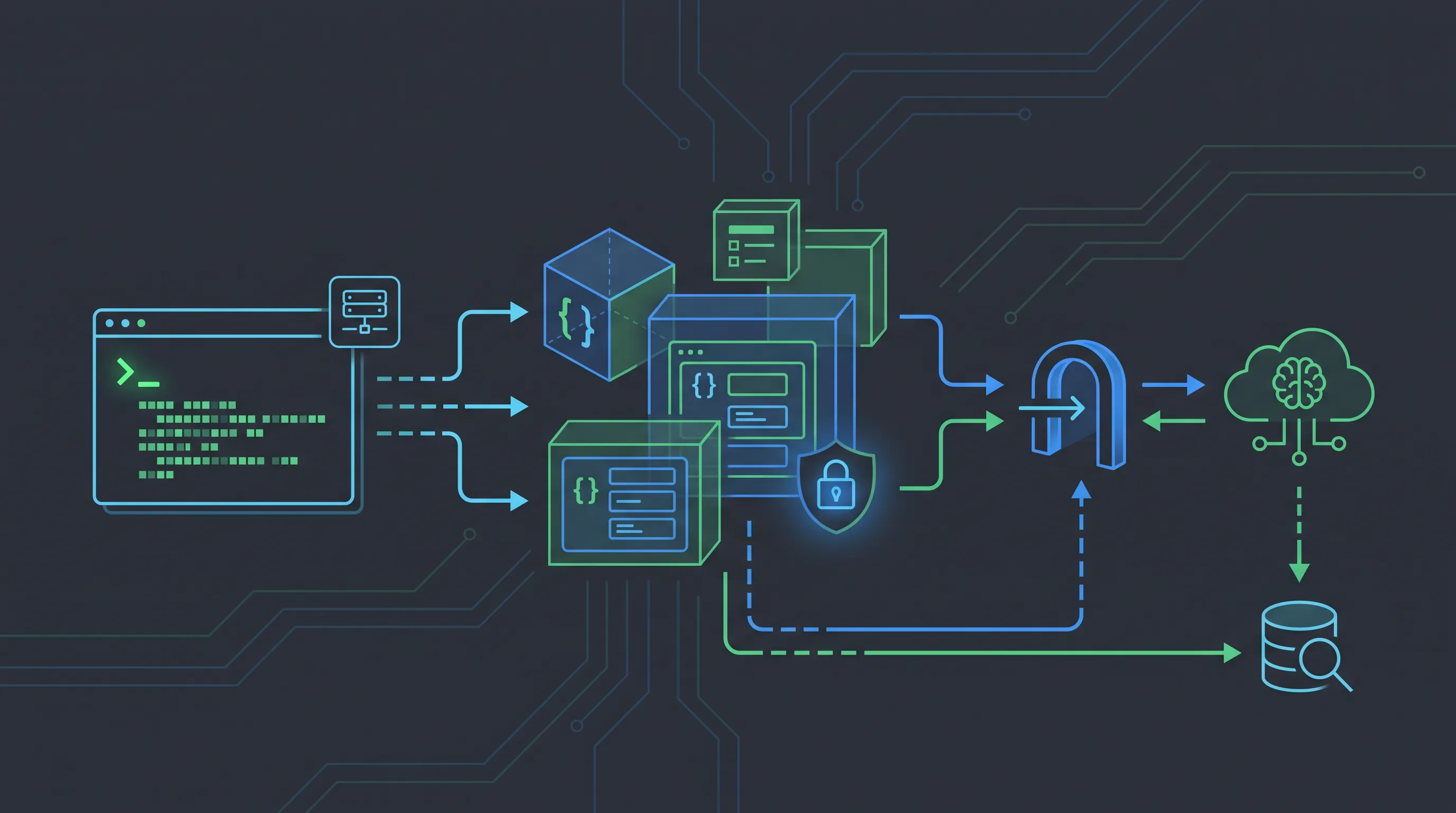
An mcp server tutorial is most useful when it ends with a tool you can actually call. In this guide, we will build a small Model Context Protocol server that exposes a read-only support-ticket search tool, inspect it locally, connect to it from an MCP client, and send the returned context to a model through an OpenAI-compatible API. The same shape works for an internal database, deployment system, analytics service, or company API.
The important boundary is simple:
MCP server  = exposes tools and resources
MCP client  = discovers and invokes those tools
Model API   = decides when a tool is useful and writes the answer
MCP does not replace your model provider. It standardizes the tool contract between an AI application and external capabilities. An OpenAI-compatible gateway such as OurToken sits on the model side, so the application can keep the same client code while choosing a different model route.
This walkthrough uses the official MCP Python SDK, the MCP build-server documentation, and the public OurToken configuration docs. SDK APIs and model availability change, so check those sources before copying a version pin or model ID into production.
Verification note: The MCP Python SDK README and OurToken public docs were checked on 2026-09-01. The code below is a tutorial example and has not been run with a private API key or a production ticket system.
MCP Server Tutorial Architecture
Before writing code, decide which component owns each responsibility. A useful first architecture is:
User
  |
  v
AI application / MCP client
  |  1. discover tools
  |  2. call search_tickets
  v
Python MCP server
  |
  v
Internal ticket API or database

AI application -- model request --> https://api.ourtoken.ai/v1/chat/completions
                              <-- assistant answer --
The server should own access to the ticket system. The model should never receive database credentials, and the client should not have to know SQL or the internal HTTP schema. Instead, the server exposes a narrow, typed function such as search_tickets(query, limit). This makes the capability understandable to a model and gives you one place to enforce authorization, filtering, and output limits.
The client owns the conversation and model request. It discovers the tool definition, decides whether to call it, sends the tool result back to the model, and renders the final answer. This separation makes it possible to use the same MCP server from Claude Desktop, an agent framework, a test client, or your own application.
Tools, resources, and prompts
MCP has several primitives. Start with tools because they map cleanly to actions:
| Primitive | Use it for | Ticket example |
|---|---|---|
| Tool | A callable operation with validated inputs | search_tickets |
| Resource | Readable context addressed by a URI | ticket://INC-1042 |
| Prompt | A reusable interaction template | summarize-ticket |
Use a tool when the client needs to perform an operation or query a system. Use a resource when a document-like object can be addressed directly. A prompt is useful for a repeatable instruction that should be available to clients without duplicating it in application code.
Do not expose a broad run_sql tool as a shortcut. A small domain-specific interface is easier to authorize, test, and explain to users. It also limits what a model can request if a prompt injection attempts to turn a read-only assistant into a general database console.
The existing MCP Servers Explained article covers the protocol concepts. This tutorial stays at the implementation layer: package installation, a typed server, a client call, and a model loop.
Build a Python MCP Server
The current Python SDK provides a compact server API. The official README demonstrates a typed tool and a templated resource without hand-written JSON Schema or protocol parsing. We will use the same pattern and add the validation and backend boundary that a real service needs.
Create the project
Use Python 3.10 or newer and create an isolated environment:
mkdir mcp-ticket-server
cd mcp-ticket-server
python -m venv .venv

# macOS or Linux
source .venv/bin/activate

# Windows PowerShell
.\\.venv\\Scripts\\Activate.ps1

python -m pip install --upgrade pip
pip install mcp
The SDK is published as the mcp package. Pin a version after testing your deployment, and keep the official Python SDK repository as the source of truth for breaking changes.
Create a file named server.py:
from mcp.server import MCPServer


mcp = MCPServer("Ticket Tools")


@mcp.tool()
def add(a: int, b: int) -> int:
    """Add two numbers."""
    return a + b
This intentionally tiny tool is a protocol smoke test. The type hints become the input contract, and the docstring becomes the description shown to the client. Run it through the SDK development inspector before adding a network dependency:
uv run mcp dev server.py
If the inspector cannot start this file, fix the environment or SDK version before debugging your business logic. A broken development server is not evidence that a model provider is unavailable.
Replace the smoke test with a ticket tool
Now use a deterministic in-memory dataset so the example can run without a private service. In production, replace TICKETS with a repository or an authenticated HTTP client. Keep the exported function signature stable when you change the backend; clients and model tool schemas depend on it.
from mcp.server import MCPServer


mcp = MCPServer("Ticket Tools")

TICKETS = [
    {
        "id": "INC-1042",
        "title": "Webhook deliveries are delayed",
        "status": "open",
        "priority": "high",
        "text": "Webhook retries are delayed by about ten minutes in eu-west.",
    },
    {
        "id": "INC-1039",
        "title": "Dashboard export fails for CSV",
        "status": "investigating",
        "priority": "medium",
        "text": "CSV exports fail when a report contains more than 50,000 rows.",
    },
]


@mcp.tool()
def search_tickets(query: str, limit: int = 5) -> list[dict[str, str]]:
    """Find support tickets whose title or text contains query."""
    query = query.strip().lower()
    if not query:
        raise ValueError("query must not be empty")
    if not 1 <= limit <= 20:
        raise ValueError("limit must be between 1 and 20")

    matches = [
        ticket
        for ticket in TICKETS
        if query in ticket["title"].lower()
        or query in ticket["text"].lower()
    ]
    return matches[:limit]
There are three deliberate constraints here:
- The tool is read-only. It cannot close, delete, or modify a ticket.
- The
limithas a hard upper bound. This protects the model context window and the backend. - Empty input fails explicitly. Returning every ticket for an empty query is an accidental data leak waiting to happen.
If your backend is an HTTP service, keep the same tool contract and move network logic into a function that uses a server-side credential. Validate the response before returning it, redact fields the model does not need, and set a short timeout. The MCP server is a policy boundary, not just a thin proxy.
Add a resource for a single ticket
A resource is useful when a client needs a stable URI for one object. The SDK's templated resource pattern looks like this:
@mcp.resource("ticket://{ticket_id}")
def ticket_resource(ticket_id: str) -> str:
    """Return a ticket as readable text."""
    for ticket in TICKETS:
        if ticket["id"] == ticket_id:
            return (
                f"{ticket['id']}: {ticket['title']}\\n"
                f"Status: {ticket['status']}\\n"
                f"Priority: {ticket['priority']}\\n"
                f"Details: {ticket['text']}"
            )
    raise ValueError("ticket not found")
Do not add a resource only to make the demo longer. Use it when a client benefits from addressing a known ticket directly after the search tool returns its ID. A resource can also provide a clean place to apply field-level redaction and content-type decisions.
Run and Inspect the Server
There are two useful development paths: inspect the server in isolation, then call it from a real client. This order separates protocol errors from model errors and keeps the first test cheap.
Test with the MCP Inspector
The official SDK exposes a development command:
uv run mcp dev server.py
Use the inspector to confirm that the server starts, search_tickets is discoverable, invalid arguments are rejected, and the response contains only the fields you intend to expose. Test both a matching query such as webhook and a query with no result.
A useful checklist is:
[ ] server starts without importing application secrets
[ ] tool name and description are understandable to a model
[ ] query is required and whitespace is rejected
[ ] limit accepts 1-20 and rejects larger values
[ ] no-result responses are valid and unambiguous
[ ] backend failures become controlled tool errors
[ ] sensitive fields are absent from the result
Add automated tests for the Python function before testing an agent. A test that calls search_tickets("webhook", 1) and one that checks an empty query will catch regressions faster than a full model run. Keep a fixture for a backend timeout and an unauthorized caller as well; those are normal production states, not exotic edge cases.
Choose stdio or Streamable HTTP
Use stdio when the client launches the server as a local subprocess. It keeps the network surface small and is a good default for a developer workstation or a desktop client. The client and server communicate over process streams, so never write human-readable logs to stdout; send diagnostics to stderr or a file.
Use Streamable HTTP when the server runs as a separate service. The SDK command is:
uv run mcp run server.py --transport streamable-http
The current SDK client example connects to http://localhost:8000/mcp. Treat that URL as a transport endpoint, not a public production configuration. Put the server behind TLS, authenticate every request, validate the Origin header, rate-limit calls, and restrict which tools each identity can discover.
| Decision | stdio | Streamable HTTP |
|---|---|---|
| Deployment | Local subprocess | Separate service |
| Network exposure | None by default | HTTP surface to protect |
| Good first use | Desktop and local development | Shared service and remote clients |
| Main operational concern | Process lifecycle and stderr logging | Auth, origin validation, TLS, rate limits |
The protocol transport and the model API are independent. Switching from stdio to HTTP does not require changing the model gateway, and changing the model route does not require rewriting the tool implementation.
Connect an MCP Client to OurToken
An MCP client discovers tools, invokes them, and passes the result into a model conversation. The model request can use any provider supported by your application. Here we use the OpenAI Python SDK against OurToken's OpenAI-compatible endpoint.
Create a key through the OurToken API Keys page and set it only in your local environment:
export OURTOKEN_API_KEY="paste-your-key-locally"
export OURTOKEN_BASE_URL="https://api.ourtoken.ai/v1"
On Windows PowerShell:
$env:OURTOKEN_API_KEY = "paste-your-key-locally"
$env:OURTOKEN_BASE_URL = "https://api.ourtoken.ai/v1"
The SDK base URL stops at /v1; a raw HTTP request would use the complete /v1/chat/completions path. Confirm model IDs in the live OurToken model directory before selecting one. Do not copy a display label when the API expects an exact model ID.
Install the model client:
pip install openai
The following client shows the control flow. The call_mcp_tool function is a deliberately small adapter around whichever MCP client transport you choose; keeping it behind one function makes the model loop easy to test. In a full implementation, replace the adapter with an MCP Client session and call session.call_tool() after discovering tools.
import json
import os

from openai import OpenAI


client = OpenAI(
    api_key=os.environ["OURTOKEN_API_KEY"],
    base_url=os.getenv("OURTOKEN_BASE_URL", "https://api.ourtoken.ai/v1"),
)


def call_mcp_tool(name: str, arguments: dict) -> dict:
    """Call the connected MCP session. Replace with your SDK client call."""
    if name != "search_tickets":
        raise ValueError(f"unsupported tool: {name}")
    from server import search_tickets

    return {"tickets": search_tickets(**arguments)}


def answer(question: str, model_id: str = "gpt-5.6-terra") -> str:
    messages = [
        {
            "role": "system",
            "content": (
                "Answer from tool results when a ticket lookup is needed. "
                "If the tool returns no result, say that clearly."
            ),
        },
        {"role": "user", "content": question},
    ]

    first = client.chat.completions.create(
        model=model_id,
        messages=messages,
        tools=[
            {
                "type": "function",
                "function": {
                    "name": "search_tickets",
                    "description": "Find support tickets by title or details.",
                    "parameters": {
                        "type": "object",
                        "properties": {
                            "query": {"type": "string"},
                            "limit": {"type": "integer", "minimum": 1, "maximum": 20},
                        },
                        "required": ["query"],
                    },
                },
            }
        ],
        tool_choice="auto",
        max_tokens=300,
    )

    message = first.choices[0].message
    messages.append(message.model_dump(exclude_none=True))
    for tool_call in message.tool_calls or []:
        args = json.loads(tool_call.function.arguments)
        result = call_mcp_tool(tool_call.function.name, args)
        messages.append(
            {
                "role": "tool",
                "tool_call_id": tool_call.id,
                "content": json.dumps(result, ensure_ascii=False),
            }
        )

    final = client.chat.completions.create(
        model=model_id,
        messages=messages,
        max_tokens=300,
    )
    return final.choices[0].message.content or "No answer returned."


print(answer("Are there any open webhook incidents?"))
The model tool schema in this example is equivalent to the contract exposed by the MCP server. In a production client, generate or translate that schema from list_tools() at startup rather than maintaining two independent definitions. If a server publishes search_tickets with a new required field, the client should refresh its schema and fail closed when translation is incomplete.
The conversation assembly matters. Preserve the assistant message containing tool calls, then append one tool result with the matching tool_call_id for every call. If you omit that pairing, the provider may reject the request or the model may answer without using the returned context.
The model name in the sample is illustrative. The live catalog is the authority for which IDs your key can use. If a route does not support tool calls consistently, select a route that does or implement a deterministic planner that invokes the MCP tool before the model response.
Make the Tool Loop Reliable
The happy path is short, but failures happen at the boundaries. Treat tool invocation as an untrusted, fallible operation.
Validate every model argument
The model-generated JSON is not a security policy. Re-validate query, limit, IDs, filters, and enum values in the MCP server. Reject unknown fields when the backend operation is sensitive. A valid JSON object can still request an expensive or unauthorized query.
Do not rely on a prompt instruction such as “never search more than 20 records.” Enforce that limit in Python and, for an HTTP backend, enforce it again at the repository or API layer. Prompt rules guide behavior; code rules enforce it.
Separate errors by layer
| Symptom | Layer to inspect | First check |
|---|---|---|
| Tool is not listed | MCP discovery | Server starts and list_tools() returns it |
| Tool call has invalid arguments | Schema or server validation | Type hints, required fields, bounds |
| Tool returns a backend error | MCP server/backend | Timeout, credential, upstream status |
Model request returns 401 | API authentication | OURTOKEN_API_KEY and Bearer auth |
Model request returns 404 | API route | Base URL ends at /v1, operation path is not duplicated |
model_not_found | Model routing | Exact ID from the live catalog or /v1/models |
| Final answer ignores tool result | Conversation assembly | Preserve the assistant tool call and matching tool result |
For a broader explanation of API root, model ID, and 401/404 differences, see the OpenCode model-not-found troubleshooting guide. The same endpoint debugging principles apply even when OpenCode is replaced by your own MCP client.
Add timeouts, retries, and idempotency deliberately
Read-only searches can usually retry once with exponential backoff on a transient network error. A mutating tool needs a request ID or idempotency key before you retry. Do not retry every tool call blindly: a duplicate deployment, payment, or ticket update is worse than a visible failure.
Set separate budgets for the backend call and the model call. A five-second model timeout does not protect you from a backend request that hangs for two minutes inside the tool server. Return a concise, structured error to the model and let the application decide whether to retry, ask the user, or stop.
Keep results small and predictable
A model can only reason over what it receives. Return a stable object shape, sort results deterministically, and cap both the number of records and the length of each text field. For a detail-heavy workflow, return IDs and short summaries from the search tool, then expose a separate resource for one selected ticket.
This design improves quality and cost at the same time. A giant result is harder to cite, consumes more input tokens, and increases the chance that sensitive content is accidentally repeated in a response.
Log the right identifiers
For each turn, record the server name, tool name, argument validation result, backend latency, model ID, input and output token counts, and final status. Redact API keys, ticket secrets, authorization headers, and full user content where policy requires it. A tool trace should help you reproduce a failure without becoming a second data store for sensitive records.
Security and Cost Considerations
An MCP server increases what an AI application can do, so the permission model deserves as much attention as the protocol implementation.
Keep credentials in the server process or a secret manager. Never pass an internal API token as a tool argument and never put a real OurToken key in server.py, a client config, a screenshot, or Git history. For local development, environment variables are enough; for a shared service, use your deployment platform's secret store and rotate keys.
Use least privilege at two levels:
| Boundary | Recommended control |
|---|---|
| MCP server | Allowlist tools and fields, validate arguments, redact results |
| Model gateway | Separate API keys or budgets by application, monitor usage, restrict models |
Treat tool descriptions as part of your security surface. A description such as “search tickets” is safer than “access the support database,” because it narrows what the model should expect the tool to do. Describe read-only behavior and result limits directly in the docstring.
Estimate model and tool cost
Every tool result becomes model input. Returning 100 tickets can cost more than the search itself and can reduce answer quality. Keep limit small, return summaries first, and expose a separate detail resource for a selected ticket. This is both a security control and a token-cost control.
For repeated system instructions and stable tool schemas, prompt caching may reduce eligible input cost when the selected route supports it. The OurToken prompt caching guide explains how to read cached-token usage instead of assuming every input token is billed at the uncached rate.
If easy lookups and complex investigations have different requirements, route them to different models through the same gateway. OurToken's LLM model routing guide covers that pattern. Measure cost per successful answer, latency, tool-call success, and fallback rate together; a cheaper model that repeatedly emits invalid arguments may not be cheaper in practice.
Do not embed fixed price claims in application code or this tutorial. Model prices, token accounting fields, and route availability can change. Use the live OurToken model directory when setting a budget and record the date and model ID used in an evaluation.
Production Checklist
Before connecting an MCP server to a real workspace, walk through this checklist:
[ ] Tool names describe one narrow capability
[ ] Every argument is validated again on the server
[ ] Read and write tools are separated and separately authorized
[ ] Backend credentials never enter model-visible arguments or results
[ ] stdio logs go to stderr; HTTP runs behind TLS
[ ] Streamable HTTP validates Origin and authenticates every request
[ ] Tool results have size, time, and record-count limits
[ ] Retries are limited and safe for the operation type
[ ] Model and tool traces record latency, tokens, and errors
[ ] A raw /v1/models or short completion test passes before agent testing
[ ] The selected model ID is confirmed in the live catalog
[ ] A fallback or manual escalation path exists
Roll out in stages. Start with one read-only tool and synthetic data, then test against a staging backend, then grant the smallest production permission set. Keep a kill switch that disables the server or individual tools without redeploying the whole client.
A useful release test has three layers:
| Stage | Test | Pass condition |
|---|---|---|
| Protocol | Inspector or client discovery | Tool schema is present and valid |
| Backend | Unit and integration fixtures | Valid and invalid calls behave predictably |
| Agent | Same question set across model routes | Tool choice, answer grounding, latency, and cost are recorded |
This makes a provider change measurable. If you switch from one model ID to another through an OpenAI-compatible endpoint, you can tell whether a regression came from tool translation, backend data, or model behavior.
Conclusion and FAQ
This MCP server tutorial built the useful minimum: a typed Python server, a bounded search_tickets tool, an optional ticket resource, an inspector-based smoke test, and a model loop that uses an OpenAI-compatible API. The protocol handles discovery and invocation; your server handles authorization and backend policy; the model handles language understanding and response composition.
Start with stdio while you develop, move to Streamable HTTP only when a shared service is necessary, and keep the OurToken base URL at https://api.ourtoken.ai/v1. Verify exact model IDs in the live catalog, keep keys out of code, and measure tool success, latency, token usage, and cost before adding more capabilities.
FAQ
What is an MCP server?
An MCP server is a process or service that exposes tools, resources, or prompts through the Model Context Protocol. It gives an AI client a typed, discoverable interface to external data and actions.
Is an MCP server the same as an AI model API?
No. An MCP server exposes capabilities such as ticket search or file lookup. A model API generates or interprets messages. An application commonly uses both: it connects to MCP for tools and to a model gateway for reasoning and final text.
Should I use stdio or Streamable HTTP?
Use stdio for a local subprocess and early development. Use Streamable HTTP for a separately deployed service, but add TLS, authentication, origin validation, rate limits, and tool-level authorization before exposing it beyond localhost.
How do I connect an MCP client to OurToken?
Keep the MCP client responsible for tool discovery and calls, then configure the model client with an OurToken API key and base_url="https://api.ourtoken.ai/v1". Use the full /v1/chat/completions path only for raw HTTP requests.
Can an MCP tool modify production data?
Technically yes, but do not start there. Begin with read-only tools, add explicit authorization and confirmation for mutations, and make retries safe with idempotency keys or operation-specific safeguards.
Why does the model return an answer without calling my tool?
Check that the tool was discovered, its description clearly matches the user's request, the provider supports tool calls on the selected route, and the assistant tool call plus matching tool result were preserved in the next model request.