LLM API Pricing: How to Calculate Your Real Monthly Cost
Turn LLM API rates into a real monthly bill. Calculate input, output, cached input, cache writes, retries, and routing costs with verified examples and Python.
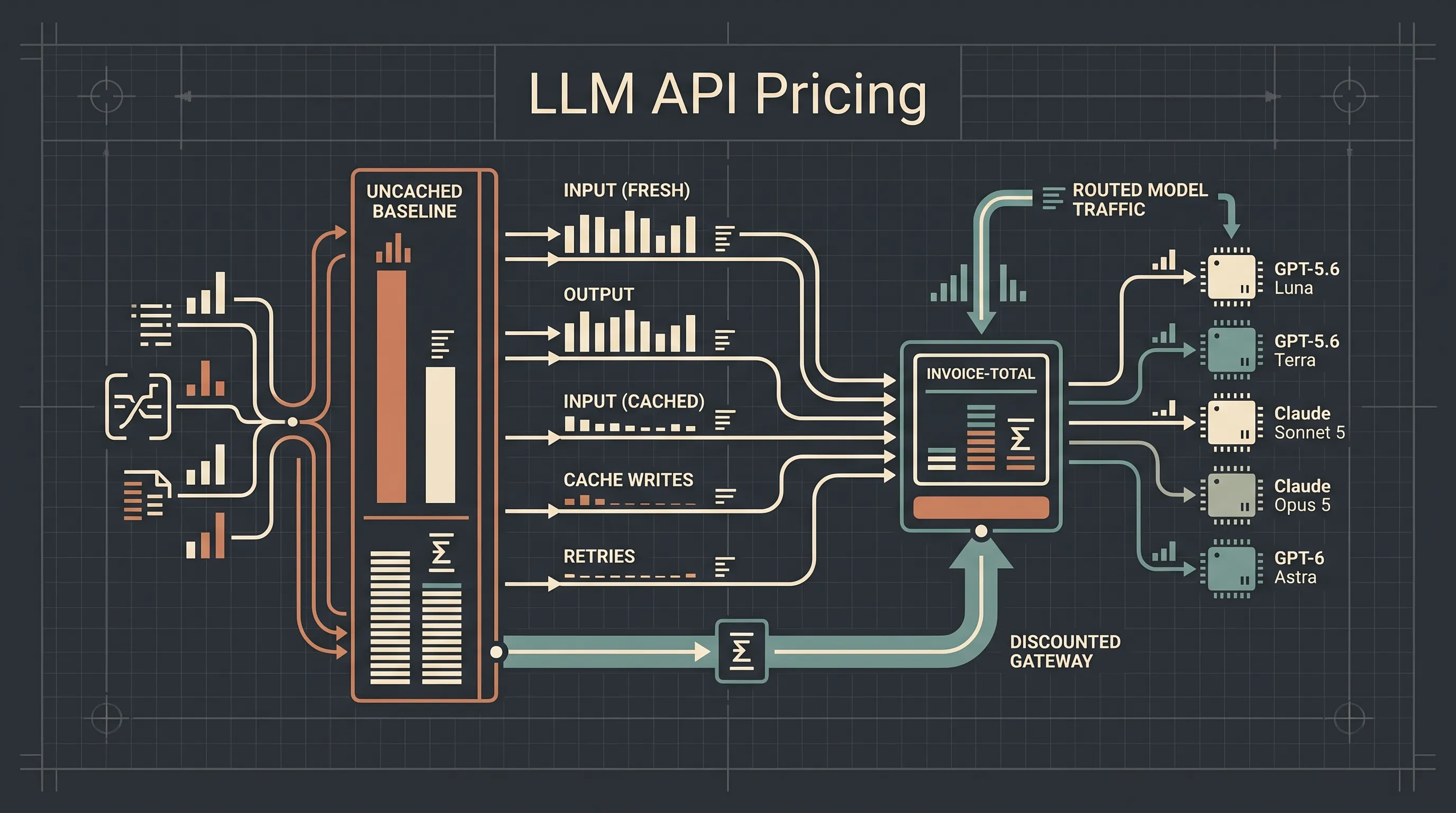
LLM API pricing becomes predictable only when you convert the published rate card into a monthly equation: fresh input tokens, output tokens, cached input, cache writes, retries, and route choices. A $0.04 input price tells you almost nothing until you know how many tokens your product actually sends and how often failed requests are replayed. This guide builds that equation and checks it against a complete monthly workload using OurToken's live prices for GPT-5.6 Luna, GPT-5.6 Terra, Claude Sonnet 5, Claude Opus 5, and GPT-6 Astra.
The price snapshot below was verified from the OurToken model pages on September 22, 2026. LLM provider rates change, so use the formulas here with your current invoice data and recheck the pages before committing traffic.
LLM API Pricing: Where the Monthly Bill Actually Comes From
Most pricing pages lead with two numbers: input price per million tokens and output price per million tokens. Those numbers are necessary, but a monthly invoice contains several other cost drivers that never fit in a two-column rate table.
| Cost driver | Why it changes the bill | Where it appears |
|---|---|---|
| Fresh input | Every uncached prompt and tool result | Request usage and billing logs |
| Output | Visible text plus hidden reasoning or thinking tokens | output_tokens in the usage object |
| Cached input | Repeated prefixes billed at a lower rate | Cache read fields in usage |
| Cache writes | Writing a prefix into the cache is not free | Cache creation fields in usage |
| Retries | Failed attempts still consume billable tokens | Retry counters in application logs |
| Platform mechanics | Credit fees and plan features sit outside the token rate | Provider pricing and account pages |
| Model routing | A cheap route that needs four attempts can cost more than one correct expensive route | Cost per successful task |
The last two rows are the reason a "LLM API pricing comparison 2026" based only on published token rates can be misleading. Two providers can show the same input price and still produce very different monthly totals because their cache rules, retry behavior, and platform fees differ.
Here is the dated OurToken rate snapshot used in the examples. Prices are per million tokens.
| Model | Input | Output | Cached input | Cache write | Context |
|---|---|---|---|---|---|
| GPT-5.6 Luna | $0.04 | $0.24 | $0.004 | $0.05 | 250K |
| GPT-5.6 Terra | $0.40 | $2.40 | $0.04 | $0.50 | 250K |
| Claude Sonnet 5 | $0.80 | $4.00 | $0.08 | $1.00 | 1M |
| Claude Opus 5 | $2.00 | $10.00 | $0.20 | $2.50 | 1M |
| GPT-6 Astra | $2.00 | $10.00 | $0.20 | $2.50 | 1.05M |
| GPT-5.6 Sol | $1.00 | $6.00 | $0.10 | $1.25 | 250K |
GPT 5.6 Luna pricing is the lowest unit-cost row and is usually the first route to evaluate for high-volume classification and extraction. GPT-6 Astra is a frontier route with the same OurToken unit rate as Claude Opus 5 but a larger OpenAI context window. Claude Sonnet 5 and Claude Opus 5 API pricing are often compared for coding agents: Sonnet 5 is usually the first choice for most agentic work, while Opus 5 is reserved for tasks that need more sustained reasoning.
A rate card alone cannot choose between those rows. You need a monthly volume model.
The Real Monthly Cost Formula
The monthly cost formula is a sum over token categories. Every volume is multiplied by its rate, then divided by one million because the rates are quoted per million tokens.
monthly_cost = (
    fresh_input_tokens   / 1_000_000 * input_rate
  + output_tokens        / 1_000_000 * output_rate
  + cache_read_tokens    / 1_000_000 * cache_read_rate
  + cache_write_tokens   / 1_000_000 * cache_write_rate
)
For a single request, use the same formula without the monthly multiplier. Then multiply the per-request cost by the expected number of successful calls and add the cost of every retried attempt.
Read the usage object, not the text length
Output cost is the easiest line to undercount. A visible answer may be 400 words, but the billed output may be several thousand tokens because the model generated reasoning tokens before the visible answer. Reasoning effort also changes output volume without changing the rate.
OpenAI-style Responses usage reports input_tokens, output_tokens, and cached tokens inside input_tokens_details. Claude Messages usage reports input_tokens, output_tokens, cache_creation_input_tokens, and cache_read_input_tokens. The two formats are similar but not interchangeable.
The critical rule is not to double count cached input. In OpenAI-style usage, cached tokens are usually a breakdown inside total input, not an additional input category. In Claude-style usage, cache creation and cache read are separate fields. When you normalize both formats into one ledger, map every token to exactly one category: fresh input, cached input, cache write, or output.
Platform fees and credit mechanics
Token rates are not always the entire platform cost. OpenRouter credits are prepaid balance purchases, and OpenRouter fees are added when credits are purchased rather than per token. An OpenRouter subscription changes account features such as support and limits, but it is not a simple substitute for understanding the underlying model rate. The useful question for a budget is whether the effective cost after purchase fees, minimums, and plan differences matches the token-only calculation.
AI gateway pricing has the same requirement. A gateway can reduce integration work and improve observability, but you still need to know which line items are token charges, which are gateway fees, and which are retries or routing overhead. Include all of them in the same ledger instead of comparing only the published per-token numbers.
Build a Cost Model with Python and Usage Logs
Build the usage ledger first
Before trusting any forecast, store one log row for every model attempt: request ID, route, fresh input, cached input, cache write, output, status, and retry count. The row should also include the estimated cost. That design makes the monthly total reproducible and makes a surprise line item easy to find.
The calculator below encodes the September 22, 2026 OurToken rates and the five workloads used in the next section. It computes every row and checks the monthly total.
from dataclasses import dataclass


@dataclass(frozen=True)
class Route:
    input_rate: float
    output_rate: float
    cache_read_rate: float
    cache_write_rate: float


@dataclass(frozen=True)
class Workload:
    route: str
    calls: int
    fresh_input_per_call: int
    output_per_call: int
    cached_input_per_call: int = 0
    cache_writes_per_month: int = 0
    prefix_tokens_per_write: int = 0


ROUTES = {
    "gpt-5.6-luna": Route(0.04, 0.24, 0.004, 0.05),
    "gpt-5.6-terra": Route(0.40, 2.40, 0.04, 0.50),
    "claude-sonnet-5": Route(0.80, 4.00, 0.08, 1.00),
    "claude-opus-5": Route(2.00, 10.00, 0.20, 2.50),
    "gpt-6-astra": Route(2.00, 10.00, 0.20, 2.50),
}


def cost_usd(tokens: int, rate: float) -> float:
    return tokens / 1_000_000 * rate


def monthly_cost(workload: Workload) -> float:
    route = ROUTES[workload.route]
    return (
        cost_usd(workload.calls * workload.fresh_input_per_call, route.input_rate)
        + cost_usd(workload.calls * workload.output_per_call, route.output_rate)
        + cost_usd(workload.calls * workload.cached_input_per_call, route.cache_read_rate)
        + cost_usd(
            workload.cache_writes_per_month * workload.prefix_tokens_per_write,
            route.cache_write_rate,
        )
    )


WORKLOADS = [
    Workload("gpt-5.6-luna", 200_000, 1_200, 120),
    Workload("gpt-5.6-terra", 60_000, 5_000, 800),
    Workload(
        "claude-sonnet-5",
        20_000,
        4_000,
        1_200,
        cached_input_per_call=16_000,
        cache_writes_per_month=1_000,
        prefix_tokens_per_write=16_000,
    ),
    Workload("claude-opus-5", 2_000, 20_000, 3_000),
    Workload("gpt-6-astra", 1_000, 50_000, 10_000),
]


rows = []
for workload in WORKLOADS:
    total = monthly_cost(workload)
    rows.append((workload.route, total))
    print(f"{workload.route:18s} ${total:,.2f}")

combined = sum(total for _, total in rows)
print(f"combined monthly cost: ${combined:,.2f}")
assert abs(combined - 792.16) < 0.01
The Sonnet workload also calculates cache writes. The prefix is written 1,000 times during the month, each write is 16,000 tokens, and those writes are amortized across 20,000 calls.
Once the forecast is in place, record actual usage with a small client wrapper. The example below uses the OpenAI-compatible Responses endpoint for a Luna request, but the same pattern works for any model ID with the matching endpoint.
import json
import os
import time
import urllib.error
import urllib.request


MAX_RETRIES = 3
usage_ledger = []


def call_model(prompt: str, model: str = "gpt-5.6-luna") -> dict:
    api_key = os.environ.get("OURTOKEN_API_KEY")
    if not api_key:
        raise RuntimeError("Set the OURTOKEN_API_KEY environment variable")

    request_body = json.dumps({
        "model": model,
        "input": prompt,
        "max_output_tokens": 256,
    }).encode()

    for attempt in range(MAX_RETRIES):
        request = urllib.request.Request(
            "https://api.ourtoken.ai/v1/responses",
            data=request_body,
            headers={
                "Authorization": f"Bearer {api_key}",
                "Content-Type": "application/json",
            },
            method="POST",
        )
        try:
            with urllib.request.urlopen(request, timeout=60) as response:
                payload = json.loads(response.read().decode())
                usage = payload.get("usage", {})
                details = usage.get("input_tokens_details", {})
                usage_ledger.append({
                    "model": model,
                    "attempt": attempt + 1,
                    "input_tokens": usage.get("input_tokens", 0),
                    "cached_tokens": details.get("cached_tokens", 0),
                    "output_tokens": usage.get("output_tokens", 0),
                })
                return payload
        except urllib.error.HTTPError as exc:
            retryable = exc.code in {408, 409, 429, 500, 502, 503, 529}
            if retryable and attempt < MAX_RETRIES - 1:
                time.sleep(min(2 ** attempt, 8))
                continue
            raise
        except urllib.error.URLError:
            if attempt < MAX_RETRIES - 1:
                time.sleep(min(2 ** attempt, 8))
                continue
            raise

    raise RuntimeError("Maximum retries exceeded")


if __name__ == "__main__":
    result = call_model("Return the ticket priority as LOW, MEDIUM, or HIGH.")
    print(json.dumps(usage_ledger, indent=2))
A cURL smoke test uses the same endpoint. The retry flags are included so a network failure does not silently change the monthly count.
curl -sS --retry 3 --retry-delay 1 --max-time 60 \
  https://api.ourtoken.ai/v1/responses \
  -H "Authorization: Bearer $OURTOKEN_API_KEY" \
  -H "Content-Type: application/json" \
  -d '{
    "model": "gpt-5.6-luna",
    "input": "Return the request category as JSON.",
    "max_output_tokens": 128
  }'
Worked Monthly Scenario: One Product, Five Model Routes
Consider a product that combines support triage, document drafting, a coding agent, hard review tasks, and long-document synthesis. Each job uses a different model route because the tasks have different quality requirements and output volumes.
| Workload | Model | Calls | Fresh input / call | Cached input / call | Output / call | Cache writes | Cost / request | Monthly |
|---|---|---|---|---|---|---|---|---|
| Support triage | GPT-5.6 Luna | 200,000 | 1,200 | 0 | 120 | 0 | $0.0000768 | $15.36 |
| Draft assistant | GPT-5.6 Terra | 60,000 | 5,000 | 0 | 800 | 0 | $0.00392 | $235.20 |
| Coding agent | Claude Sonnet 5 | 20,000 | 4,000 | 16,000 | 1,200 | 1,000 x 16K | $0.01008 | $201.60 |
| Hard review | Claude Opus 5 | 2,000 | 20,000 | 0 | 3,000 | 0 | $0.07 | $140.00 |
| Document synthesis | GPT-6 Astra | 1,000 | 50,000 | 0 | 10,000 | 0 | $0.20 | $200.00 |
| Combined | 283,000 | $792.16 |
The per-request numbers are all derivable. Luna is 1,200 / 1,000,000 x $0.04 = $0.000048 for input plus 120 / 1,000,000 x $0.24 = $0.0000288 for output, totaling $0.0000768. Terra is 5,000 x $0.40 + 800 x $2.40, all divided by one million, totaling $0.00392.
Sonnet includes cache. Each request costs $0.0032 for fresh input, $0.00128 for cached input, and $0.0048 for output. The 1,000 cache writes add 16,000,000 x $1.00 / 1,000,000 = $16.00 for the month, or $0.0008 per request when amortized across 20,000 calls. The row total is therefore $0.01008 per request and $201.60 per month.
When the same numbers are grouped by cost category, output and fresh input are the two dominant line items.
| Cost component | Monthly tokens | Monthly cost |
|---|---|---|
| Fresh input across routes | 710,000,000 | $373.60 |
| Output across routes | 112,000,000 | $376.96 |
| Cached input | 320,000,000 | $25.60 |
| Cache writes | 16,000,000 | $16.00 |
| Total | $792.16 |
The same traffic against the published list rates shown on the model pages would total $3,106.80. The monthly total on the verified discounted routes is $792.16, a difference of $2,314.64, or about 74.5%.
| Route | OurToken monthly | Published list-rate equivalent |
|---|---|---|
| GPT-5.6 Luna | $15.36 | $76.80 |
| GPT-5.6 Terra | $235.20 | $1,176.00 |
| Claude Sonnet 5 | $201.60 | $504.00 |
| Claude Opus 5 | $140.00 | $350.00 |
| GPT-6 Astra | $200.00 | $1,000.00 |
| Combined | $792.16 | $3,106.80 |
Those numbers are a dated illustration, not a promise about every workload. The important engineering habit is to build the same table from your own token logs, model IDs, cache hit rate, and retry rate.
Cost Levers That Change the Same Traffic
Cache stable prefixes
Cache reads are much cheaper than fresh input on the routes in this snapshot. Luna cached input is $0.004 per million tokens versus $0.04 for standard input. Sonnet cached input is $0.08 versus $0.80. The discount is large, but the prefix must be stable and positioned consistently.
Cache writes have a cost too. A one-off prompt should not be cached merely to get a lower read rate. Cache a system prompt, repository prefix, tool schema, or long shared document only when the same bytes will be reused enough times to amortize the write. Log cache creation and cache reads separately so the monthly report shows whether the optimization is paying for itself.
Route by task difficulty
There is no universally cheapest LLM API. A low-cost model that cannot complete the task may be more expensive after retries, human review, and failed user sessions. The practical routing policy is task-based: send classification and extraction to a low-cost route such as Luna, medium drafting to Terra, most agentic coding to Sonnet 5, and only hard reviews or long-horizon work to Opus 5 or Astra.
The LLM model routing guide covers policy and fallback design. For cost reporting, add one more requirement: measure cost per successful task, not cost per request. A route that reaches the correct answer on the first attempt can win even when its token rate is higher.
Put a budget on retries
Retries are legitimate for rate limits, transient network errors, and selected 5xx responses. Unlimited retries are not a reliability strategy. Set a maximum attempt count, use exponential backoff with a cap, and do not retry validation errors or authentication failures. Record every attempt in the ledger because a retried request that eventually succeeds still contributes tokens to the monthly bill.
The same rule applies to model fallback. If the primary route fails after consuming a long prompt, the fallback request may send the prompt again. That is a second billable request. Measure the full chain from first attempt to final success rather than reporting only the successful attempt.
Troubleshooting your monthly bill
| Symptom | Likely cause | Fix |
|---|---|---|
| Output dominates the bill | Reasoning tokens or longer completions than expected | Inspect output_tokens, lower reasoning effort where possible, and cap output length |
| Cached input stays at zero | Prefix changed, moved, or expired | Keep the shared prefix exact and first, then confirm cache fields in usage |
| Small batch costs more than forecast | Cache writes were not amortized across enough requests | Cache only repeated prefixes with a clear reuse period |
| Invoice exceeds token-only estimate | Credit purchase fee, plan cost, or another platform line item | Reconcile platform fees separately from model token charges |
| Bill rises without a traffic increase | Higher reasoning effort, longer outputs, or more retries | Version the request configuration and compare cost per successful task by release |
401 on an OurToken request | Missing or malformed Bearer key | Read the key from an environment variable and send Authorization: Bearer ... |
404 or model not found | Wrong endpoint for the model family or an incorrect model ID | Use /v1/responses for OpenAI models and /v1/messages for Claude models |
Conclusion
LLM API pricing is a monthly modeling problem, not a two-column rate-card problem. Multiply every token category by its current rate, include cache writes and retried attempts, and group the result by model route. The dated example in this guide produces $792.16 for a mixed workload that would total $3,106.80 at the published list-rate equivalents. Your own traffic should replace those volumes before any routing decision is made.
Start with one high-volume workload, log usage on every attempt, and compare the modeled total with the real invoice after the first full month. Then move the next workload behind the same reporting layer. A small test key on the API key page is enough to verify the endpoint and usage fields before scaling production traffic.
FAQ
How do I calculate LLM API monthly cost?
Multiply monthly fresh input, output, cached input, and cache-write token volumes by their per-million-token rates, add platform fees, and include every retried attempt. Do not estimate from the number of user messages alone.
Why is my invoice higher than the token-rate estimate?
The most common causes are hidden reasoning tokens billed as output, longer completions than expected, cache writes, retries, and platform fees that sit outside the token rate. Use the provider usage object rather than visible word count.
Does prompt caching always reduce cost?
No. Cached reads are cheaper, but cache writes also cost money. Caching wins when a stable prefix is reused enough times during the cache lifetime. One-off prompts usually do not benefit.
What is the cheapest LLM API?
There is no permanent answer because model prices and task requirements change. In this snapshot, GPT-5.6 Luna has the lowest unit cost of the examples, but the cheapest successful route depends on accuracy, retries, output length, and the work being performed.
Are OpenRouter fees charged per token?
OpenRouter charges a fee when credits are purchased on its standard payment path. That is a platform-level cost, not a per-token surcharge, so forecast it separately from model token rates. Recheck the current OpenRouter pricing page before relying on a fee percentage.
Do I need an OpenRouter subscription or monthly platform plan?
Only if the plan's limits or features match your workload. A subscription does not replace the need to calculate effective token cost. For variable workloads, compare the plan fee plus usage against a pay-as-you-go route with no monthly platform commitment.
How should I compare LLM API pricing across providers?
Compare the exact model ID, all token categories, context limits, cache rules, platform fees, retry behavior, and quality on your own replay set. Rank providers by cost per successful task, not by the lowest advertised input price.